
POE NVR-N8204/N8208
The NVR has no password by default, so there is no need to enter any password when first login. However, if you had changed the password but forgot it,please follow the steps below to reset the password.
After input wrong password, it says ‘Username or password is incorrect’.To recover the password, please don’t click ‘OK’ in the window, and directly click the left button of the mouse and then right button,namely left click, right click→left click,right click→left click,right click→left click,right click→left click, right click→left click, right click.
The window of restore default user will pop up, click ‘yes’ to enter password modification window.
In the new window, please don’t enter anything, click ‘OK’ directly, the password will be restore to the default,done.
After login with default password, if you want to setup new password, please go to the main screen of the monitor, right click the mouse, choose ‘System setup→System Admin→User’, highlight the user and click ‘Set password’, setup new password and click ‘OK’, done.
N8209/N8216/N8236
After input wrong password, it says ‘Username or password is incorrect’.To recover the password, please don’t click ‘OK’ in the window, and directly click the left button of the mouse and then right button,namely left click, right click→left click,right click→left click,right click→left click,right click→left click, right click→left click, right click.
The window of restore default user will pop up, click ‘yes’ to enter password modification window.
In the new window, please don’t enter anything, click ‘OK’ directly, the password will be restore to the default,done.
After login with default password, if you want to setup new password, please go to the main screen of the monitor, right click the mouse, choose ‘System setup→System Admin→User’, highlight the user and click ‘Set password’, setup new password and click ‘OK’, done
CS49/CS49Q/CS49-K
Please reset the camera to factory default settings, the default password of the camera is 888888.
How to reset:
Power on camera, then find out the camera “ reset “ hole, use a pin or pencil to keep pressing the button for about 15 seconds until camera reboot, then the camera will be reset successfully.
Notes:
1.Indoor camera’s “ reset” button: at the back of the camera or in the lower section of the head of the camera ;
2.Outdoor camera’s “reset” button (without Pan &tilt): on the power cable.
Forget App Account and Password
1.Currently, there is no way to retrieve account name of PC and mobile APP, it required to register a new one if you forgot it.
2.If you forgot the password, click “ Forget Password “ in Eye4 APP in PC or Phone, enter the email account bound the account, then you will get a verification mail, please follow the system prompts to change the password.
Note: If you can not get the verification mail, please contact us.



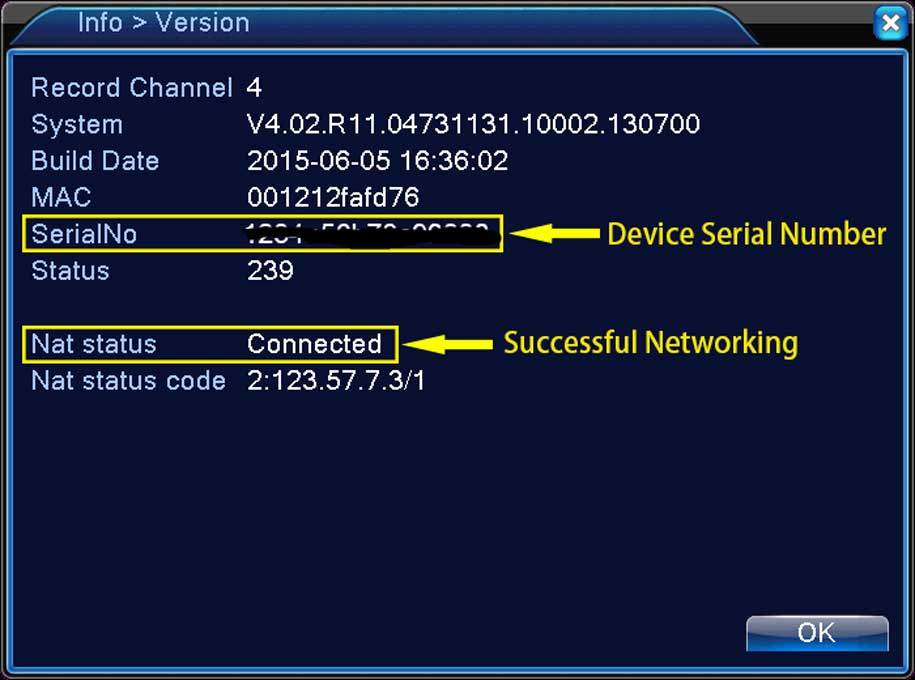
Bhai amr camr password camar for the inital password .click modify show koren