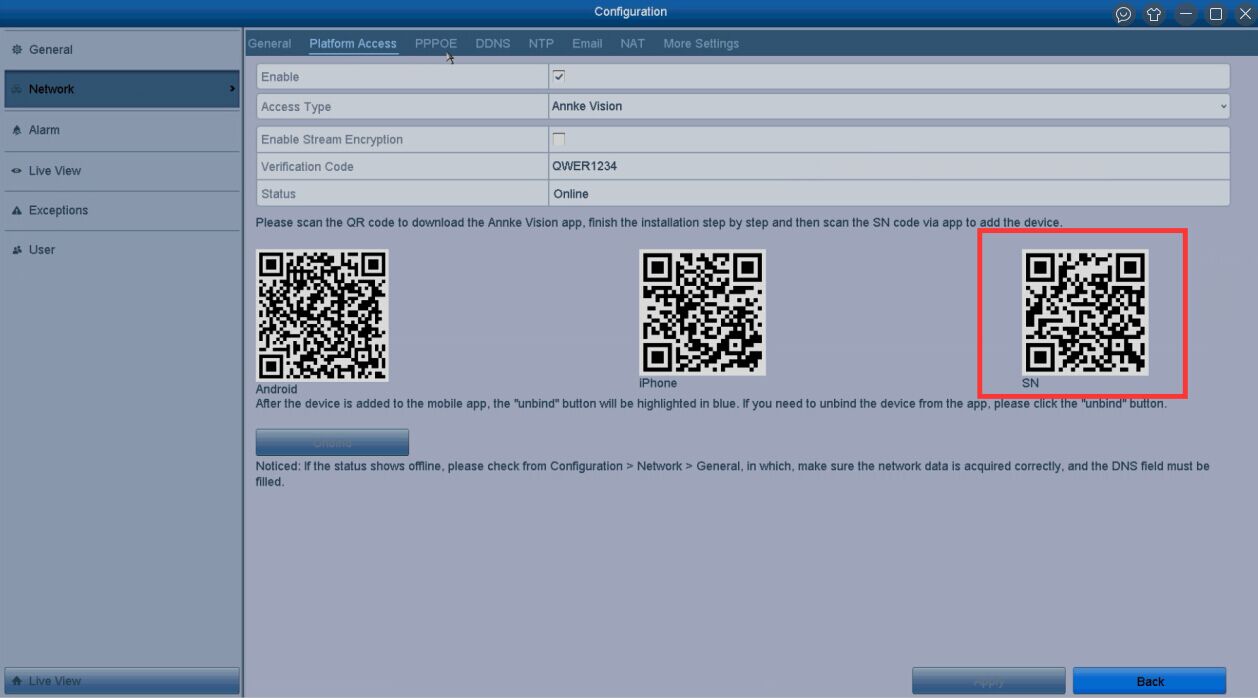
How to Connect the DVR/NVR System to the Phone APP via QR Code?
Adding the ANNKE system to the phone APP Annke Vision via QR code will allow us to watch cameras on the phone remotely ( ie. when the phone…
Start typing to search...
Adding the ANNKE system to the phone APP Annke Vision via QR code will allow us to watch cameras on the phone remotely ( ie. when the phone…

To help you to get the points you want, please read the lead-in first. Lead-in This document is organized by the order below: 1….

The following will introduce how to reset NVR via hardware. 1. Position of Reset Button Series-1000: 100x/1009-UT: There is a hole on the back,…
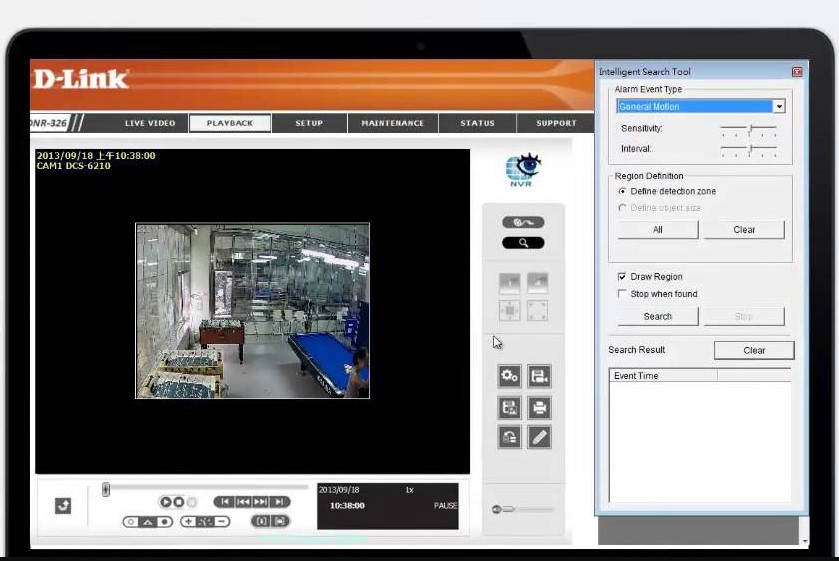
A: NOTES: * Applies to devices using firmware version 2.0 and above. If you are not using the latest firmware version please upgrade the firmware….

Type 1 DVR system For the DVR system. Please make sure the DVR is adjusted to Have IP channels. 1. Go to the Main Menu–>System–>Digital–>Channel…
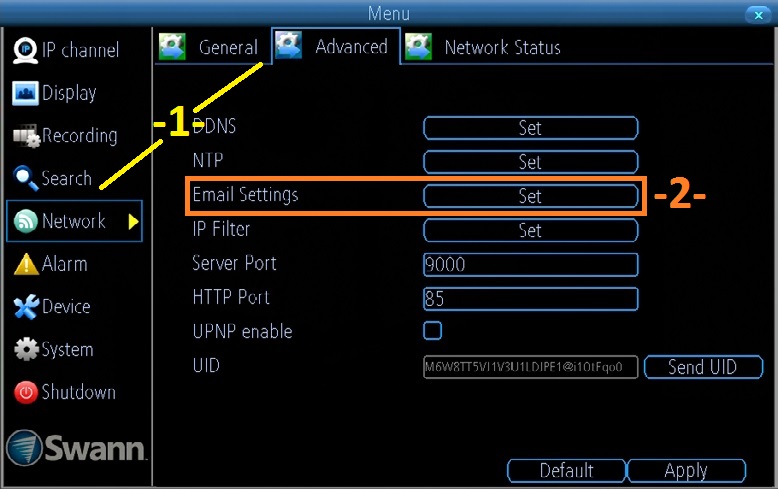
Email alerts: How to set up from the NVR per Se ( NVRx 7072, 7082, 7085, 7285, 7300, 7400) Setup email information Using the…

How to Set Up Motion Detection Recording? Purpose: Motion detection recording means NVR will record automatically when it is triggered by movement. NOTE: The…

1. Choose Firmware 4K Series 71.X.0.X(MS-N50XX-UH/MS-N70XX-UH/MS-N70XX-UPH/MS-N80XX-UH): http://www.milesight.com/support/download.asp 72.X.0.X(MS-N1009-UNT/MS-N1009-UPT/MS-N50XX-UT/MS-N50XX-UPT): http://www.milesight.com/support/download.asp 73.X.0.X(MS-N1004-UC/MS-N1004-UPC): http://www.milesight.com/support/download.asp Previous Versions 61.7.0.7-r5(MS-N1009-UT): https://drive.google.com/open?id=0B8u2Oc2-fG-mc0dCR3paYzNKMGs 30.7.0.7(MS-N5009/5016): https://drive.google.com/open?id=0B3OW8hozx4jWT182aXBfMGxGUGs 31.7.0.7(MS-N1004/1008): https://drive.google.com/open?id=0B3OW8hozx4jWd2FhTmk0cWJmNFk 2.7.0.7(MS-N5004/5008): https://drive.google.com/open?id=0B3OW8hozx4jWY3lmOF8takNQWnc 1.7.0.7-r3(MS-N7016/8016/8032): https://drive.google.com/open?id=0B8u2Oc2-fG-md0pwOFJMM3V4X2c Note: 1) The second number of firmware stands for…
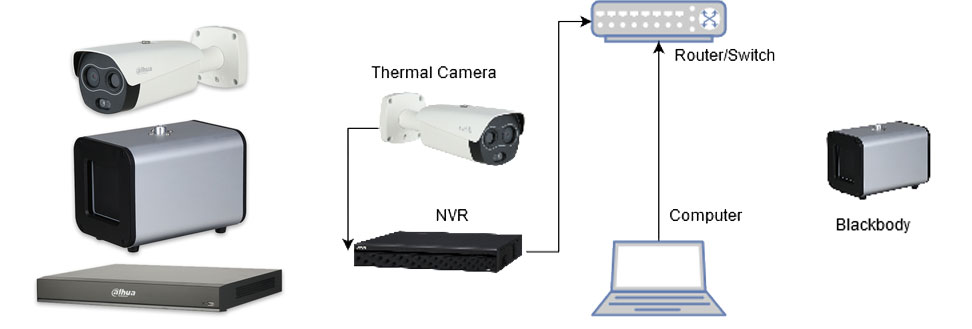
This guide will cover the initial NVR, camera,and Blackbody setup and Configuration for the Thermal Temperature Monitoring Solution If you’re using a stand…
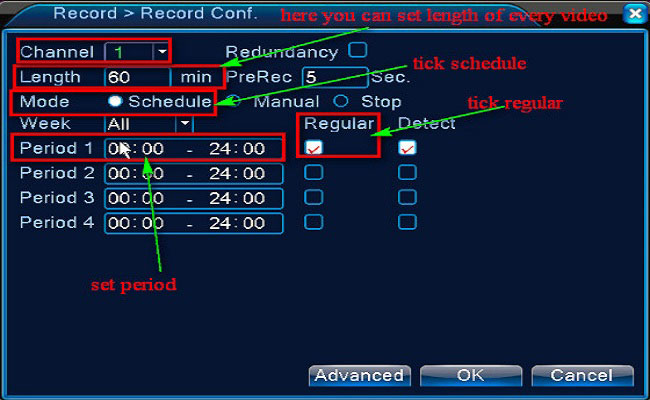
Purpose: You could setup 24 hours recording for the system. Please make sure there is an internal hard disk drive before recording. Without the…
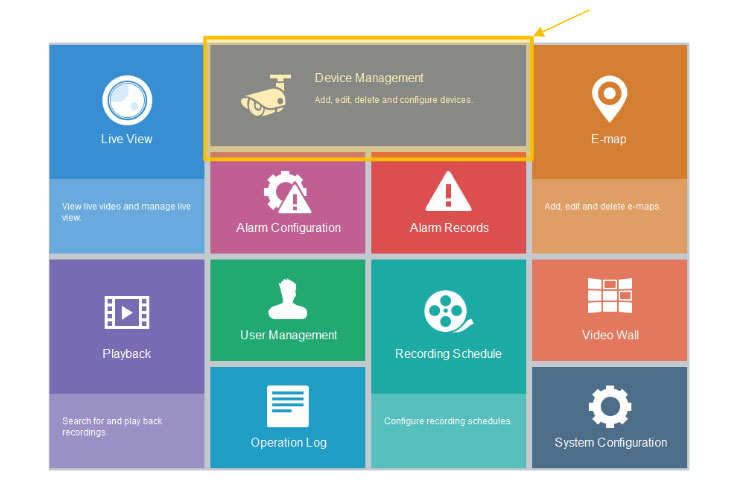
EZstation Software Quickstart Guide For Uniview The EZStation CMS Software is a quick and easy option in allowing you access to your NVR when…

Follow these step-by-step instructions to change a HDCVI, analog, or IP channel on an HDCVI recorder (HCVR or XVR). Prerequisites HCVR or XVR HDCVI,…