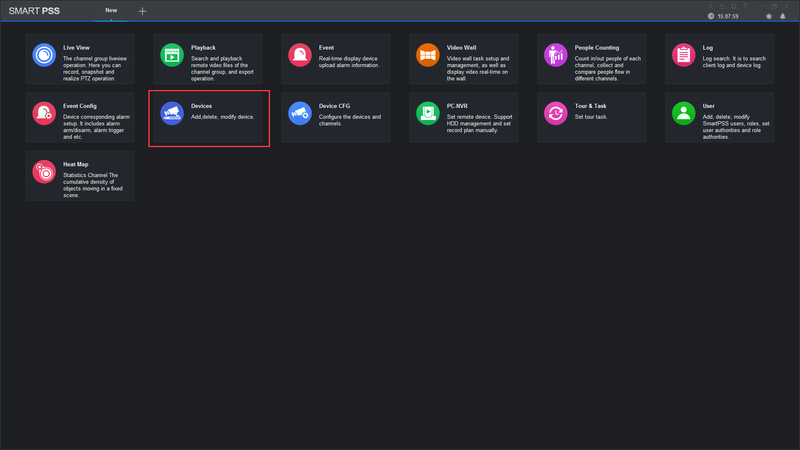
Setup Remote Access All Dahua Devices
Setup Remote Access via P2P using SmartPSS Description This allows you to view cameras on SmartPSS using P2P. Prerequisites SmartPSS SmartPSS Download How to…
Start typing to search...
Setup Remote Access via P2P using SmartPSS Description This allows you to view cameras on SmartPSS using P2P. Prerequisites SmartPSS SmartPSS Download How to…
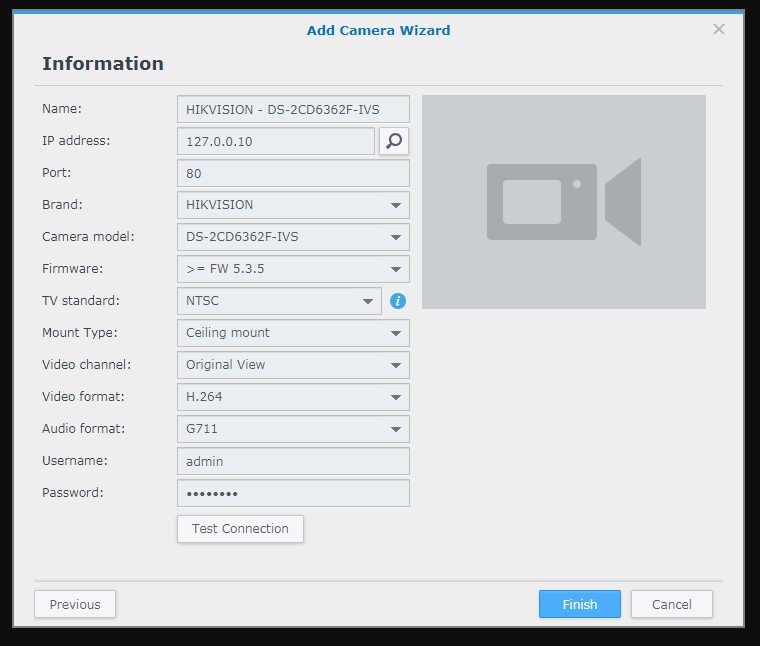
Add an IP camera to Surveillance Station Overview Surveillance Station is a security monitoring application that allows you to manage IP cameras to safeguard…
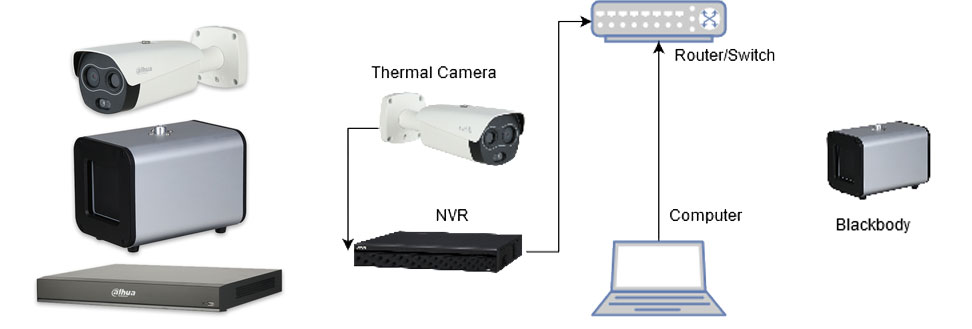
This guide will cover the initial NVR, camera,and Blackbody setup and Configuration for the Thermal Temperature Monitoring Solution If you’re using a stand…
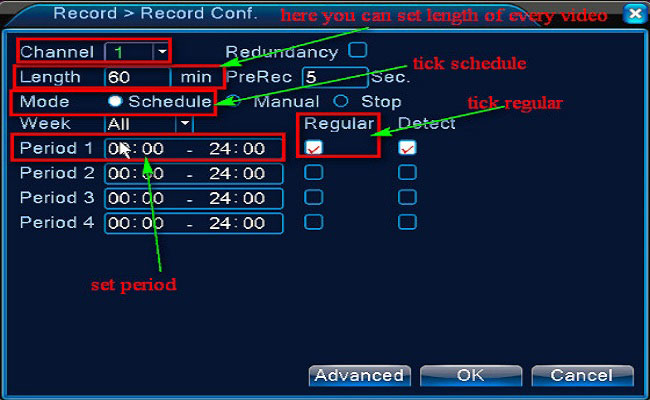
Purpose: You could setup 24 hours recording for the system. Please make sure there is an internal hard disk drive before recording. Without the…
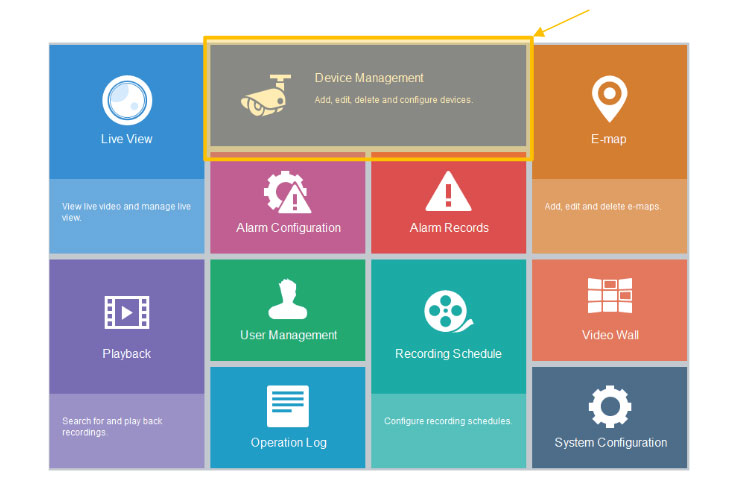
EZstation Software Quickstart Guide For Uniview The EZStation CMS Software is a quick and easy option in allowing you access to your NVR when…

Are you stuck and need a quick fix? These short, effective videos cover set-up, troubleshooting and more. If you don’t find an answer here,…
How do I install my DCS-8xxxLH-series camera? A: Note This FAQ is based on the mydlink app version 1.5.4 (build 109) from Android (v8.0.0). The…
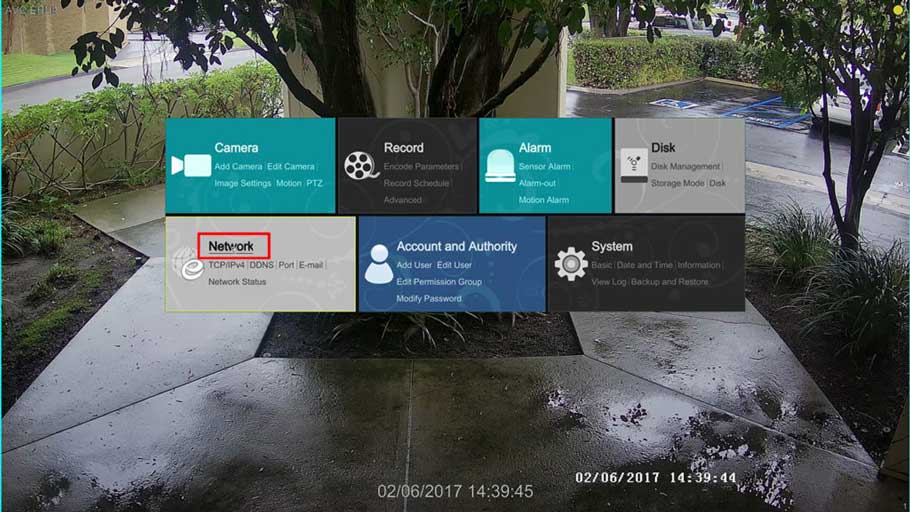
For our new T900A DVRs/ H.265 NVRs, follow the instructions below to enable the NAT/P2P mode for easy remote viewing of your AVYCON System:…
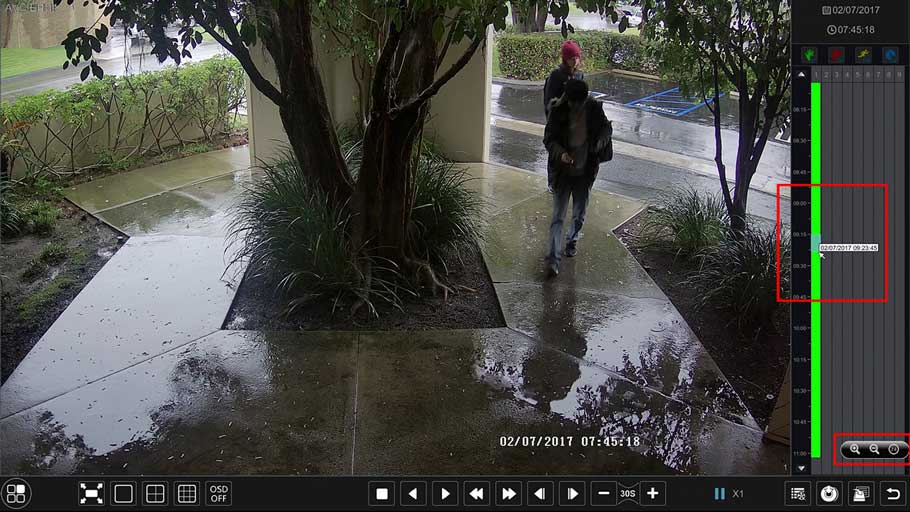
For our new T900A DVRs/ H.265 NVRs, below are some basic instructions on how to download a video clip to a USB Flash drive…
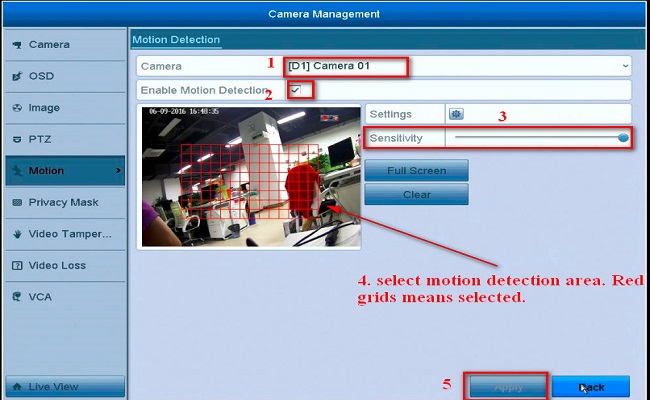
Here are the steps about how to set up the push function for the security system. 1. Log into the Annke DVR/NVR system, then…
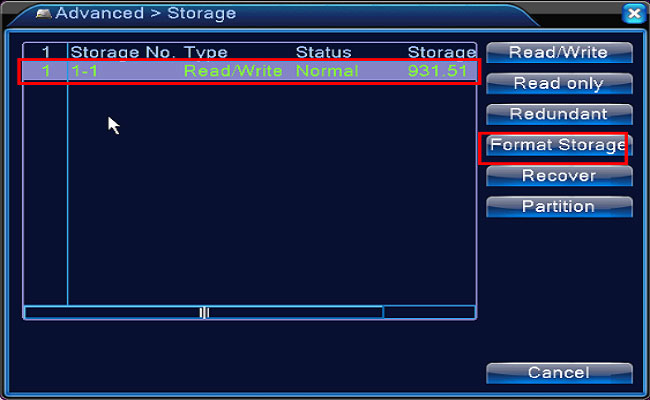
NOTE: The DVR needs an internal hard disk drive for recording. Without the hard drive, the system can show live viewing, but can’t record, playback…
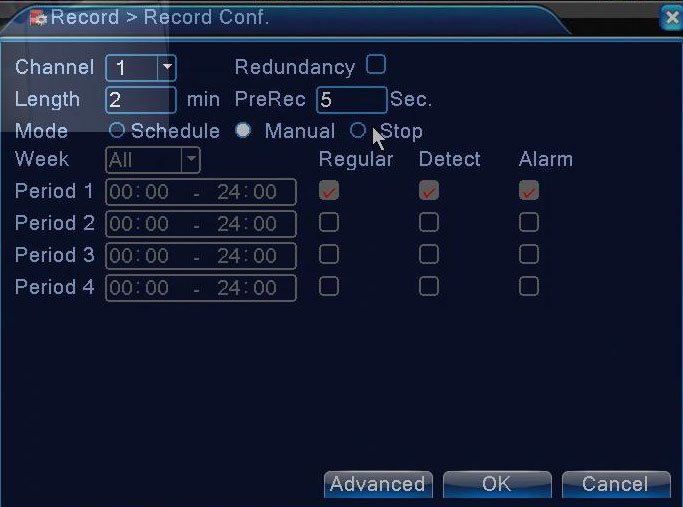
To set motion detection recording, you need firstly ensure there is an internal hard disk drive in your DVR. Otherwise, the DVR is unable…