Reklam
1 dk okuma

How to Set Up 24 Hours Recording?

XM 24 hours recording
Yapay Zekâ

Yapay Zekâ İçerik Özeti

NOTE: The DVR needs an internal hard disk drive for recording. Without the hard drive, the system can show live viewing, but can’t record, playback either.

Önemli Satır Başları
  • 1
    Stratejik Vizyon & Dönüşüm

    Gelişen trendlerin ve yenilikçi yaklaşımların temel prensipleri.

  • 2
    Verimlilik ve Uygulama

    Pratikte karşılaşılan zorluklar ve optimize edilmiş çözüm yolları.

  • 3
    Geleceğe Dair Öngörüler

    Önümüzdeki dönemde sektörde ve günlük hayatta yaratacağı etkiler.

NOTE: The DVR needs an internal hard disk drive for recording. Without the hard drive, the system can show live viewing, but can’t record, playback either.

Here are the steps for you:

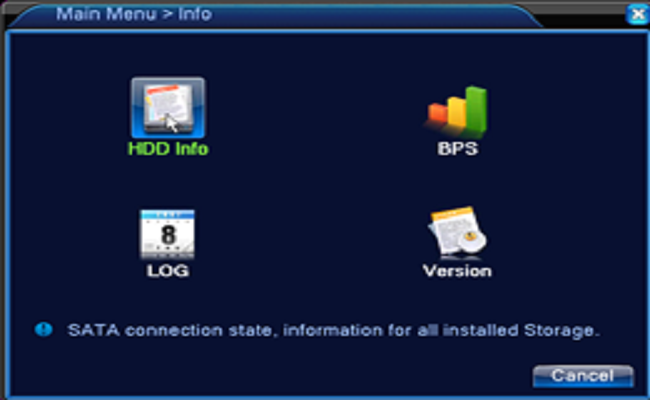
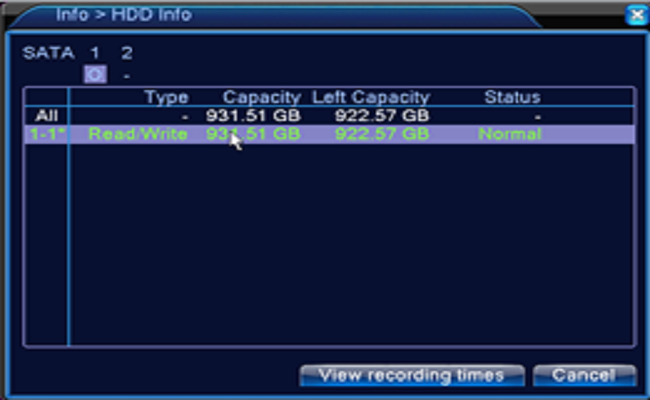
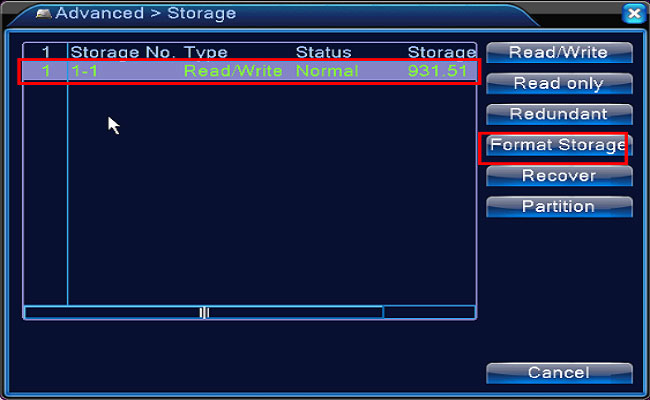
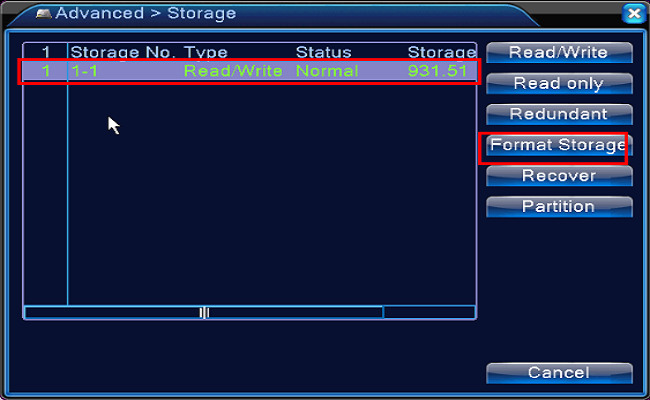
1. Confirm the hard drive installed. Newly installed hard drive needs formatting, please enter the Main Menu — Advanced Settings– Storage to Format Storage. And then go to the Main Menu—Info—HDD Info to check the hard drive status normal or not.
Reklam

XM_24_hours_recording.png

XM_hard_drive_status.png

XM_hard_drive_status_normal.png

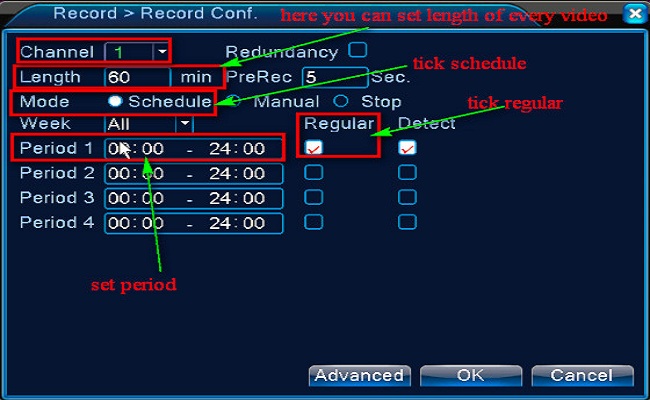
2. Go to the Main menu– Record–Record Conf to set the recording.

Select the channel first.

Set length of every video file

Tick Schedule or Time

Tick Regular

Set the Period you want to record.
XM_24_hours_recording_setting.jpg

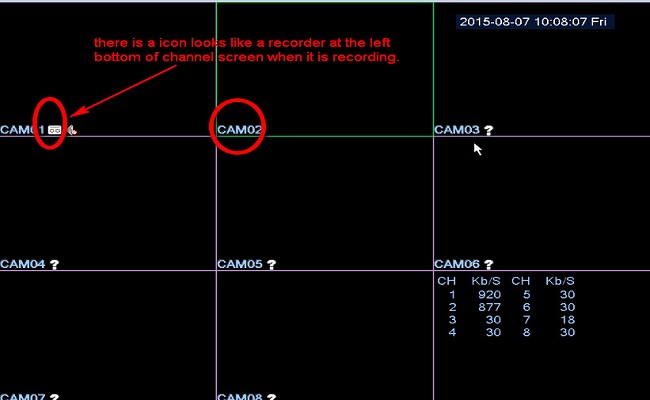
3. Back into the main view mode to check if the camera is recording.
XM_24_hours_recording_done.jpg


Tips: If you want to back up the recording, please click here to have a try.

Reklam
Bu yazıyı paylaş
M.Salih ASLAN
Yazar Hakkında

M.Salih ASLAN

Owner and Founder dvraid.com and dvrdestek.com

Bir Yorum Yapın

Your email address will not be published. Required fields are marked *

Bu site istenmeyenleri azaltmak için Akismet kullanır. Yorum verilerinizin nasıl işlendiğini öğrenin.

Sadece ilham, sıfır spam ✨

Bültenimize Abone Olun

En iyi hikâyeleri, görüşleri ve son trendleri doğrudan e-postanıza alın.

SIRADAKİ İÇERİK %98 ilgi uyumu
HK Motion
Ayrılmadan önce göz atın: How to Set Up APP Push Notification for Motion Detection?