Advertisement
1 min read

How to Set Up 24 Hours Recording?

M.Salih ASLAN M.Salih ASLAN • • 0 Discussion
XM 24 hours recording
AI Powered

AI Content Summary

NOTE: The DVR needs an internal hard disk drive for recording. Without the hard drive, the system can show live viewing, but can’t record, playback either.

Key Moments & Highlights
  • 1
    Strategic Vision & Disruption

    Foundational principles driving emerging methodologies and trends.

  • 2
    Efficiency & Practical Application

    Real-world hurdles explored with actionable optimization techniques.

  • 3
    Looking Ahead: Future Outlook

    What to anticipate in the next phase of development and impact.

NOTE: The DVR needs an internal hard disk drive for recording. Without the hard drive, the system can show live viewing, but can’t record, playback either.

Here are the steps for you:

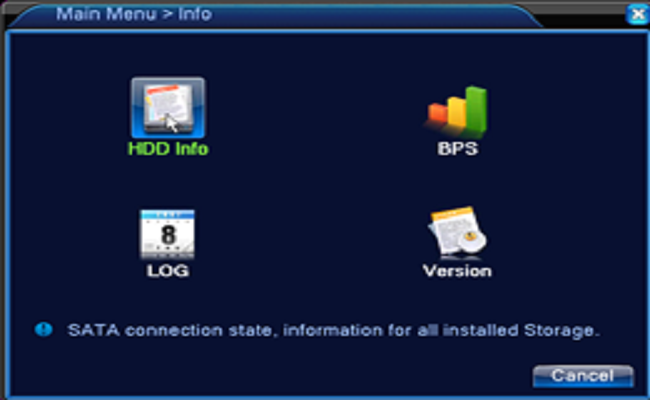
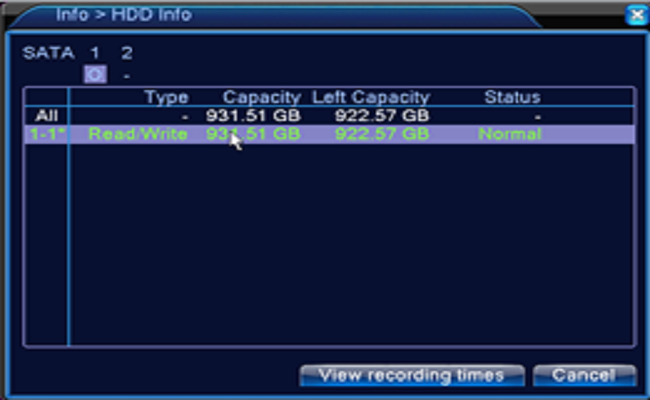
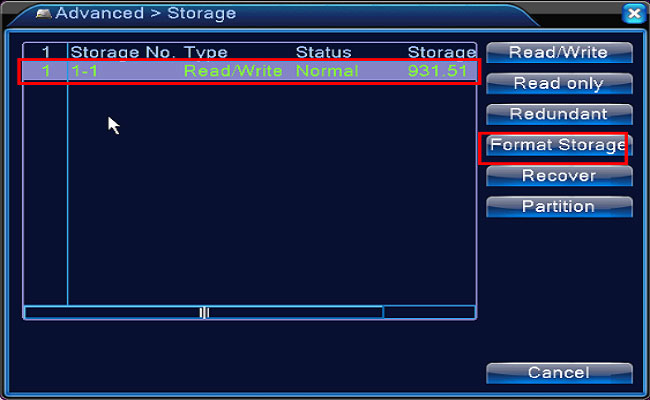
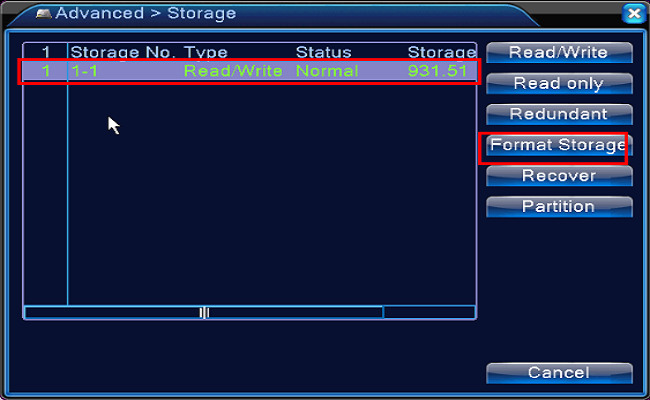
1. Confirm the hard drive installed. Newly installed hard drive needs formatting, please enter the Main Menu — Advanced Settings– Storage to Format Storage. And then go to the Main Menu—Info—HDD Info to check the hard drive status normal or not.
Advertisement

XM_24_hours_recording.png

XM_hard_drive_status.png

XM_hard_drive_status_normal.png

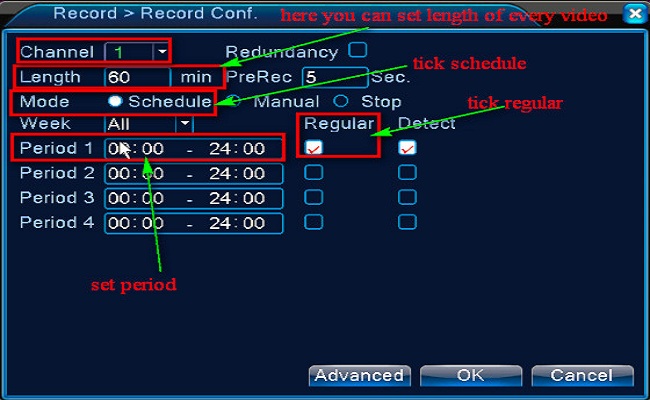
2. Go to the Main menu– Record–Record Conf to set the recording.

Select the channel first.

Set length of every video file

Tick Schedule or Time

Tick Regular

Set the Period you want to record.
XM_24_hours_recording_setting.jpg

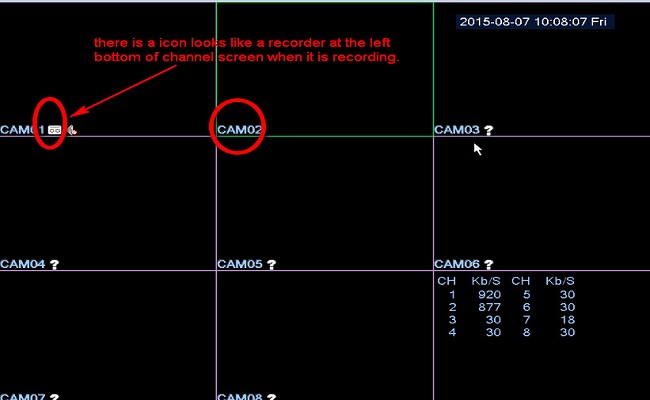
3. Back into the main view mode to check if the camera is recording.
XM_24_hours_recording_done.jpg


Tips: If you want to back up the recording, please click here to have a try.

Advertisement
Share this story
M.Salih ASLAN
About the Author

M.Salih ASLAN

Owner and Founder dvraid.com and dvrdestek.com

Leave a Reply

Your email address will not be published. Required fields are marked *

This site uses Akismet to reduce spam. Learn how your comment data is processed.

Pure inspiration, zero spam ✨

Subscribe to our Newsletter

Get the finest stories, perspectives, and trends delivered straight to your inbox.

UP NEXT 98% relevance match
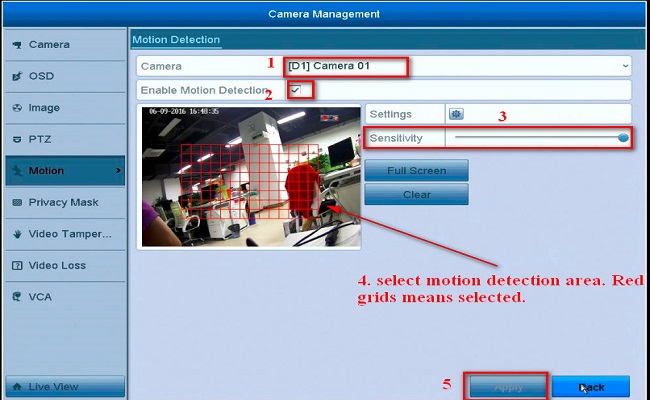
HK Motion
Before you go: How to Set Up APP Push Notification for Motion Detection?