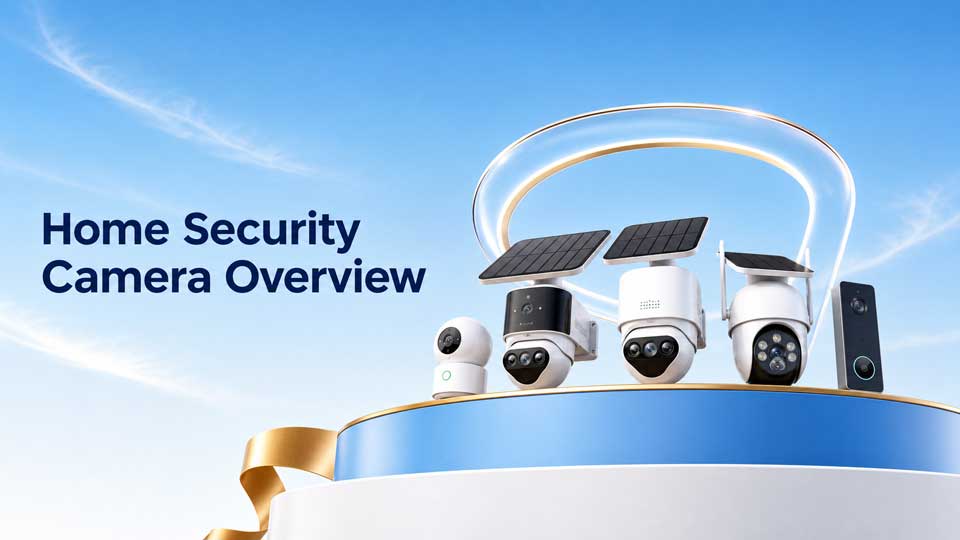
Home Security Cameras: Benefits, Features, and Placement Tips, Home security cameras are popular for a simple reason: they make it easier to know what is happening around your home. A good camera can help deter unwanted visitors, document incidents, check deliveries, watch pets, and give you a clearer picture of everyday activity.
The catch is that not every camera setup solves the same problem. A front-door camera, driveway camera, indoor camera, and backyard camera all have different jobs.
This guide explains the real benefits of home security cameras, where they are most useful, which features matter most, and how to choose a setup that protects your home without creating blind spots or privacy headaches.
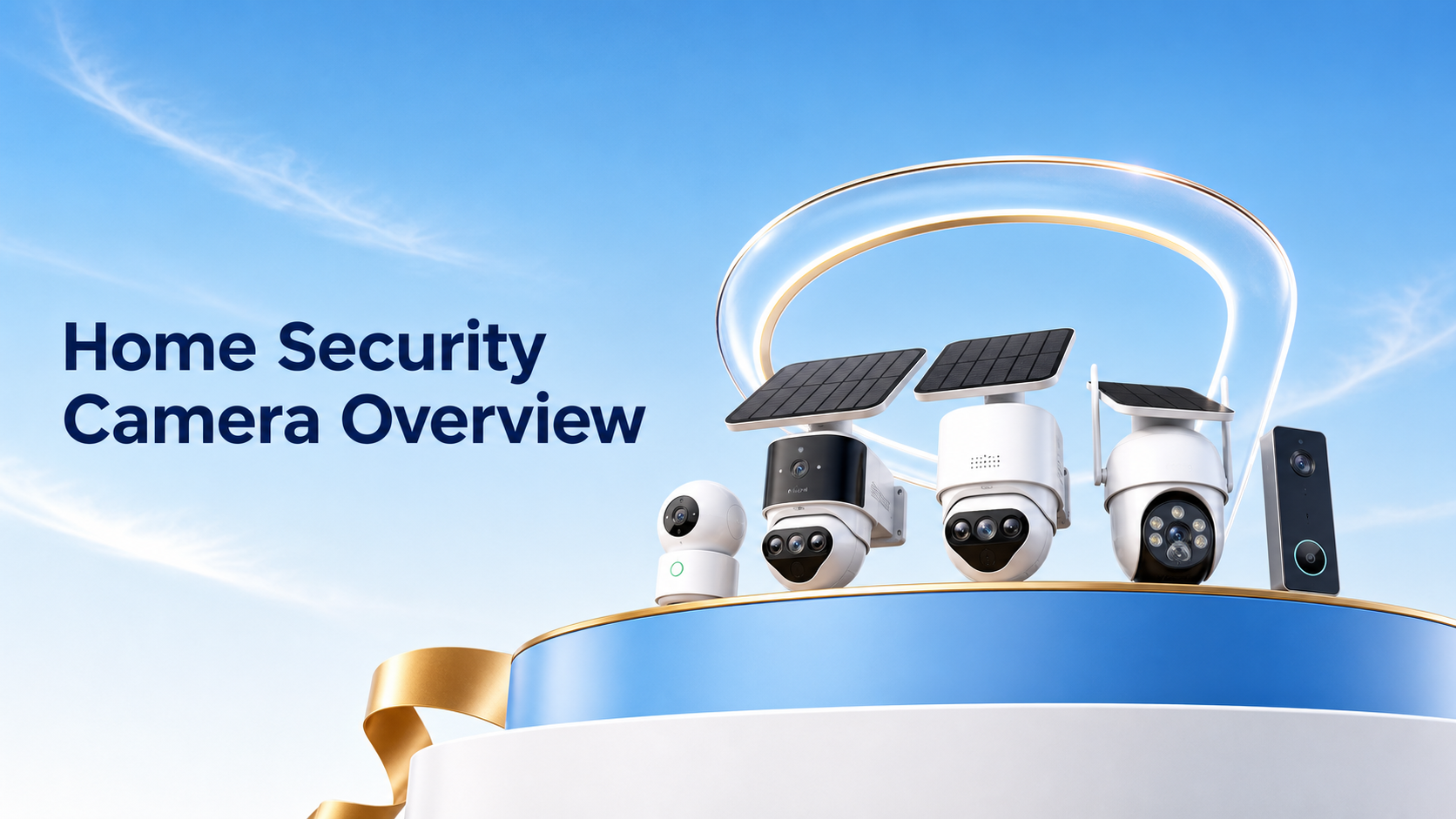
Home security cameras are popular for a simple reason: they make it easier to know what is happening around your home. A good camera can help deter unwanted visitors, document incidents, check deliveries, watch pets, and give you a clearer picture of everyday activity.
The catch is that not every camera setup solves the same problem. A front-door camera, driveway camera, indoor camera, and backyard camera all have different jobs.
This guide explains the real benefits of home security cameras, where they are most useful, which features matter most, and how to choose a setup that protects your home without creating blind spots or privacy headaches.
The Short Answer
Home security cameras are worth considering if you want better awareness, stronger deterrence, useful evidence, and easier day-to-day monitoring around your home.
The best setup is not always the most expensive one. It is the setup that matches the places you care about most: front door, driveway, side gate, backyard, garage, or indoor shared spaces.
Before buying, decide what you need the camera to do. Then choose the camera type, placement, storage, and smart features around that job.
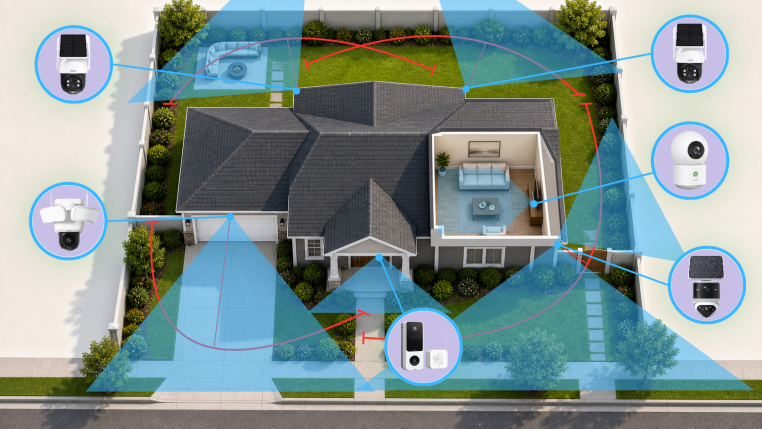
Think in zones first. Each camera should have a clear job, not just a convenient mounting spot.
What Home Security Cameras Do Well
A home security camera is not only for break-ins. It is a practical visibility tool for the parts of your home you cannot watch all the time.
Used well, cameras can help you respond faster, understand what happened, and avoid guessing when something feels off.
| Deter unwanted activity | Document incidents | Check everyday activity | Support vulnerable areas |
|
• Visible cameras can discourage package theft, trespassing, and casual tampering
• Lights, sirens, and two-way audio can make the deterrent effect stronger
• Placement matters more than simply buying more cameras
|
• Footage can show what happened, when it happened, and which direction someone came from
• Clear clips can help with police reports, neighbor disputes, delivery problems, and insurance conversations
• Good storage and easy clip export matter as much as camera resolution
|
• See when packages arrive, kids get home, pets move around, or a service visit happens
• Use remote live view when you are at work, traveling, or away from the property
• Reduce uncertainty without needing to call someone at home
|
• Watch driveways, side gates, detached garages, sheds, and less visible entrances
• Use alerts to know when activity happens in areas you rarely see from inside
• Add extra confidence for homes with older relatives, frequent deliveries, or busy front yards
|
What Security Cameras Cannot Do by Themselves
Cameras are powerful, but they are not magic. They work best as part of a broader home security plan that includes lighting, locks, smart placement, and practical habits.
A camera can show you what happened. It cannot guarantee that nothing will happen. That distinction matters because it keeps your expectations realistic and helps you choose features that actually reduce risk.
| Cameras can help with | Cameras still need help from |
|
• Deterrence
• Remote awareness
• Recorded evidence
• Package and visitor checks
• Motion alerts
• Reviewing events after they happen
|
• Good locks and door hardware
• Outdoor lighting
• Clear sightlines
• Reliable power and storage
• Strong account security
• Reasonable privacy boundaries
|
Where Home Security Cameras Are Most Useful
Start with the places where activity is most likely or most costly to miss. For many homes, that means the front door, driveway, side gate, backyard, and garage.
You do not need a camera in every corner. A few well-placed cameras usually beat a larger system with overlapping views and blind spots.
| Front door | Driveway | Side gate or backyard | Indoor shared space |
|
• Best for visitors, deliveries, package activity, and entry events
• Useful features: two-way audio, person detection, package alerts, clear face-level view
• Avoid pointing too high if faces and packages matter
|
• Best for vehicles, garage access, and wider approach paths
• Useful features: wide view, night vision, motion zones, strong weather resistance
• Avoid recording too much street activity if it creates constant alerts
|
• Best for less visible access points and fenced areas
• Useful features: motion lighting, weatherproofing, local storage, adjustable detection zones
• Avoid pointing directly into a neighbor’s private space
|
• Best for entry rooms, pets, elderly relatives with consent, and checking whether someone arrived safely
• Useful features: privacy mode, two-way audio, app access, clear indoor night view
• Avoid private spaces such as bedrooms and bathrooms
|
Home Security Camera Features That Matter Most
Security camera features are easier to judge when you separate must-haves from nice-to-haves. Most homes need clear video, reliable night performance, motion alerts, useful storage, and app access.
Advanced features can be worth it, but only when they solve a real problem for that camera location.
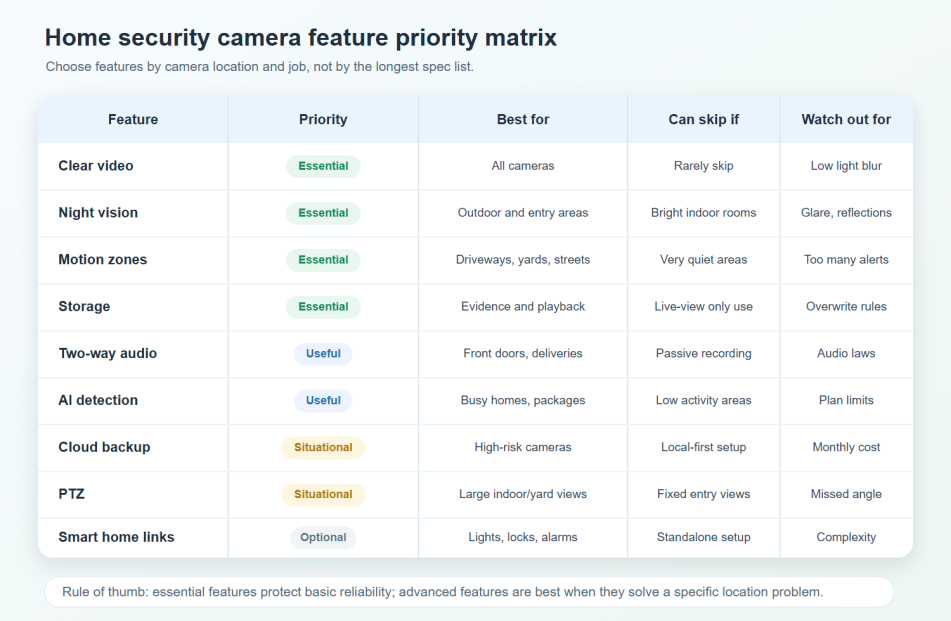
Use feature priorities by location. A driveway camera, front-door camera, and indoor camera do not need the same exact feature set.
Essential Features vs. Features Worth Paying Extra For
A camera does not need every smart feature to be useful. It does need the basics to be reliable.
For most homeowners, the core features below should come first. Extra features are best judged by the camera’s job.
| Prioritize first | Worth extra when useful |
|
• Clear HD, 2K, or higher video
• Reliable night vision
• Motion detection with adjustable zones
• Remote app access
• Useful storage, either local, cloud, or both
• Weather resistance for outdoor cameras
|
• AI person, vehicle, pet, or package detection
• Cloud backup for important clips
• Two-way audio for visitors or delivery instructions
• Spotlight or floodlight deterrence
• Pan, tilt, and zoom for larger indoor or yard areas
• Smart home integration with locks, lights, and alarms
|
Do Not Overlook Storage, Wi-Fi, and Power
Many camera problems start with a simple mismatch: the camera can see the event, but the footage is not saved where the homeowner expects.
Before choosing a system, check how footage is stored, what happens if Wi-Fi drops, whether the camera needs a subscription, and how the camera stays powered.
Local storage can be a strong choice if you want recording without a required monthly storage fee. Cloud storage can be valuable if you want off-site backup, remote convenience, or advanced event organization.
Look for SD card storage, built-in storage, a home hub, NVR, DVR, cloud storage, or hybrid storage. The right answer depends on how important the footage is and how easily the camera could be damaged or removed.
Remote live view, app alerts, cloud upload, and sharing usually need internet access. Some local recording may continue without Wi-Fi, depending on the camera and storage setup.
Battery, wired, plug-in, and solar-assisted cameras all have different strengths. A camera cannot record if the camera or its storage device has no power.
Privacy and Legal Basics
Security and privacy are not opposites. A well-planned camera setup protects your home while avoiding unnecessary recording of private spaces.
Avoid bedrooms, bathrooms, and other private areas. For outdoor cameras, aim at your property and the area you need to monitor, not into a neighbor’s window, backyard, or private living space.
Audio recording rules can be stricter than video rules, and local laws vary. If your camera records audio, posts notices, or monitors shared spaces, check the rules where you live.
How to Choose the Right Home Security Camera Setup
The easiest way to choose is to start with the job, not the spec sheet.
Use this quick process before comparing camera models.
Front door, driveway, backyard, side gate, garage, and indoor shared spaces are common starting points.
A package camera needs a different angle than a driveway camera. A pet camera needs different features than a side-gate camera.
Clear footage is only useful if it is saved, easy to review, and not overwritten before you need it.
Use wired or plug-in cameras where reliability matters most, battery where flexibility matters, and solar support where charging would be annoying.
AI detection, cloud backup, PTZ, floodlights, and smart home integration are valuable when they solve a real location-specific problem.
A Quick Note About aosu Cameras
aosu fits naturally into this topic because the product lineup includes several common home security camera categories, including outdoor cameras, solar-assisted cameras, floodlight cameras, indoor cameras, and video doorbells.
The useful buying point is not just that a camera has many features. It is whether the camera fits the job: front door, driveway, yard, indoor monitoring, local storage, cloud backup, or no-required-monthly-fee recording.
Before publishing product-specific claims, verify the current model specs, storage behavior, app features, smart detection options, and whether any feature requires a paid plan.
Common Mistakes to Avoid
Most bad camera setups are not caused by a bad camera. They are caused by unclear goals, poor placement, weak storage planning, or too many alerts.
Sharp video helps, but angle, lighting, storage, and alerts often matter just as much.
The easiest mounting spot is not always the best viewing angle. Start with what the camera needs to capture.
Decide how footage is saved, how long it stays available, and how you will download important clips.
Use motion zones, sensitivity controls, and AI detection where available so important alerts do not get buried.
Avoid private indoor areas and avoid aiming outdoor cameras into places that create unnecessary neighbor or guest concerns.
To Wrap Up
Home security cameras can be a strong upgrade for everyday awareness, deterrence, and evidence. They help you see what is happening at your front door, driveway, yard, garage, or shared indoor spaces when you cannot be there in person.
The best setup starts with the camera’s job. Choose the right placement, storage, power source, and features for each area, then add advanced tools only where they make the system easier or stronger.
If you treat cameras as part of a practical home security plan, not just gadgets, they can make your home feel easier to watch, easier to manage, and better protected.
FAQs
Are home security cameras worth it?
Home security cameras are worth it for many homes because they add deterrence, remote awareness, motion alerts, and recorded evidence. They are most useful when placed in high-value areas such as the front door, driveway, side gate, garage, or backyard.
How many security cameras does a home need?
Many homes can start with two to four cameras: one at the front door, one covering the driveway or garage, and one or two covering side or backyard access points. The right number depends on your entrances, blind spots, and what you need to monitor.
What features should I look for in a home security camera?
Prioritize clear video, night vision, motion detection, app access, useful storage, weather resistance for outdoor cameras, and adjustable detection zones. Extra features such as AI detection, cloud backup, two-way audio, floodlights, and PTZ are worth considering when they match the camera’s location.
Where should home security cameras be placed?
The most useful locations are usually the front door, driveway, garage, side gate, backyard, and shared indoor spaces. Avoid private spaces such as bedrooms and bathrooms, and avoid aiming cameras into a neighbor’s private areas.
Do home security cameras need Wi-Fi?
Many smart home security cameras need Wi-Fi for app access, alerts, cloud upload, and remote live view. Some cameras can still record locally without Wi-Fi if they have power and local storage, but behavior varies by model and setup.