Advertisement
64 min read

2MT-4XXX Series User Guide

M.Salih ASLAN M.Salih ASLAN • • 0 Discussion
2MT-4XXX Series User Guide
AI Powered

AI Content Summary

2MT-4XXX Series User Guide,Digital Video Recorders DVRs are devices which record video to a hard drive. DVRs are used with closed circuit security cameras to create a surveillance system that can detect an record crimes.

Key Moments & Highlights
  • 1
    2MT-4XXX Series User Guide

    Key analytical insights and practical findings are highlighted here.

  • 2
    read next : InVid Tech Devices Password Reset.

    Key analytical insights and practical findings are highlighted here.

Picture 19 364w359h

.

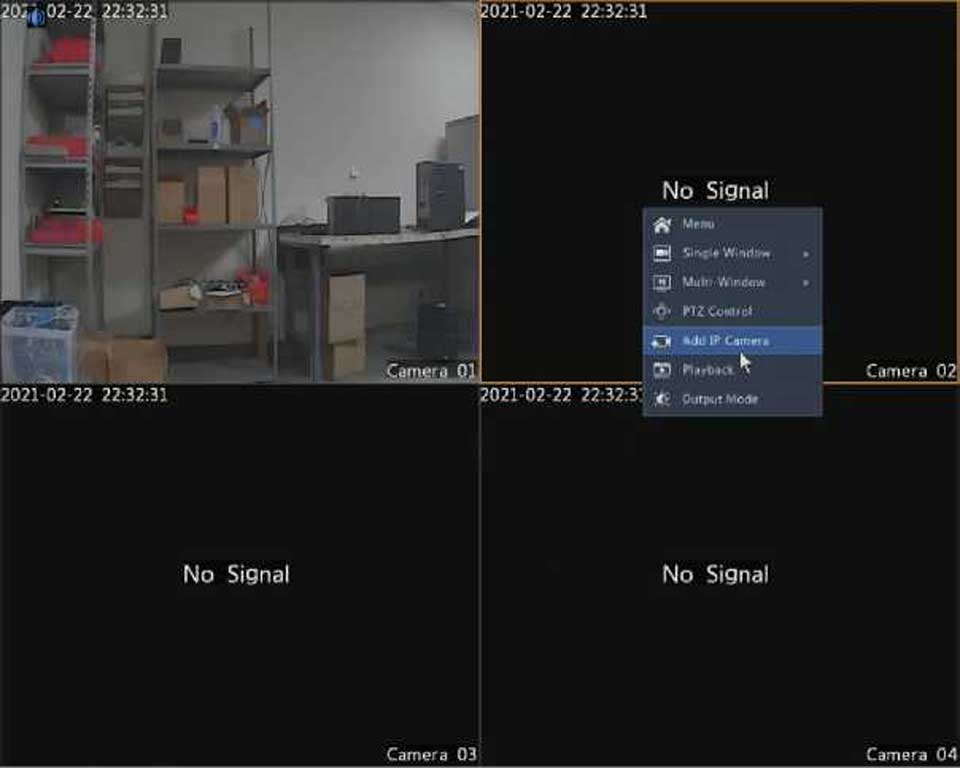
After that, make sure that your IP camera is connected to the same network that the DVR’s in. You have different options to add the IP camera:

Advertisement

Option 1

1.Click Camera > Camera > Camera. The system automatically searches for IP devices and lists the discovered.


Advertisement
Share this story
M.Salih ASLAN
About the Author

M.Salih ASLAN

Owner and Founder dvraid.com and dvrdestek.com

Leave a Reply

Your email address will not be published. Required fields are marked *

This site uses Akismet to reduce spam. Learn how your comment data is processed.

Pure inspiration, zero spam ✨

Subscribe to our Newsletter

Get the finest stories, perspectives, and trends delivered straight to your inbox.

UP NEXT 98% relevance match
Hikvision How To Tutorials Part 1
Before you go: Hikvision How To Tutorials Part 1