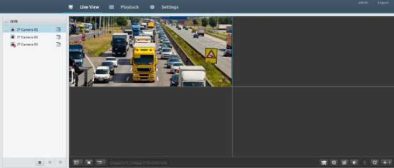
Table 3-1 Live View Window Control Buttons
|
Button |
Description |
Button |
Description |
|
^/ |
Main/Sub stream |
►/Al |
Start or stop live view in all windows |
|
*/Al |
Previous and next screen |
Eü |
Switch screen layout |
|
H |
Full screen |
^2 |
Select stream type |
|
|
Shows the current frame rate, bit rate, resolution, and packet loss rate |
|
Take a snapshot |
|
O |
Start zoom |
o |
Local recording |
|
O/□ |
Turn on or off audio; adjust sound volume. |
□/Q |
Adjust MIC volume |
|
0 |
3D positioning |
Q/ |
Open or close the control panel |
•Only the main stream is displayed when the camera is offline or it supports only one stream.
•A snapshot file is named in this format: IP_camera ID_snapshot time. The snapshot time is in YYYYMMDDHHMMSSMS format.
•By default, snapshots are saved in this directory: C:\Users\username\Surveillance\Snap\system date. The system date is in yyyy–mm–dd format.
•A local recording is named in this format: IP_camera ID_S recording start time E recording end time. The recording start and end times are in hh-mm-ss format.
•By default, local recordings are saved in this directory: C:\Users\username\Surveillance\Record\system date. The system date is in yyyy–mm–dd format.
Click Playback on the top to show the Playback page. The following figure shows an example.
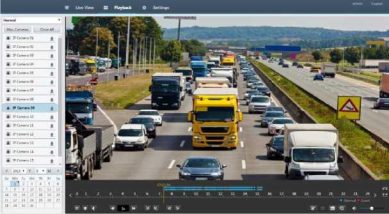
Table 4-1 Playback Control Buttons