
Reolink Cloud Recording, Backup, Monitoring and Playback
Introduction Reolink seems to only make 4+ MP outdoor or dome cameras. These cameras all have very high-end SPECs but are being sold for…
Start typing to search...
Introduction Reolink seems to only make 4+ MP outdoor or dome cameras. These cameras all have very high-end SPECs but are being sold for…

UI 4.0 – Reset Login Password with Security Code How to reset login password with Security Code 1. on login screen, click forget…

Contents 1 How to boot? 2 How to restore the factory settings? 3 The camera is in abnormal condition? 4 Cannot add camera for the first time? 5 No…

Contents 1 How to operate the CloudEdge App 1.1 Register account 1.2 Add the camera 1.3 Add the camera by Scan QR Code 1.4 Add the camera by AP…
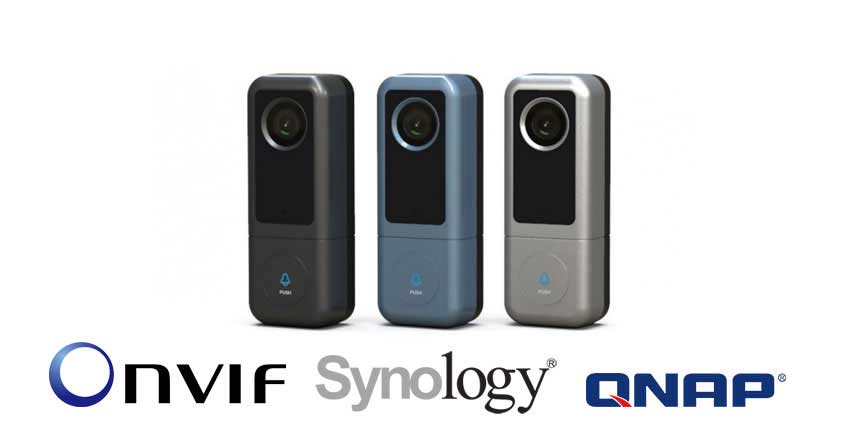
J5 2K smart doorbell is a slim and compact design smart doorbell equipped with a 2K security camera. In addition to seeing the video…

How to reset device password? Ans: For resetting the password, we need the error code generate in the device. Send the error code using…

How to Setup iCSee cameras all models iCsee – How to reset the camera 1. Power on the camera, the red indicator light will…

Purpose: To remotely access the DVR/NVR system on the phone APP or computer software, the cloud network status of the DVR/NVR system must be…

What to Do If P2P Status Shows Offline? Purpose: If you want to remotely access the Annke system via phone app or computer software, the…

With the termination of the service of Hik-Online, the devices previously registered in HiDDNS will not be able to use HiDDNS service for remote…
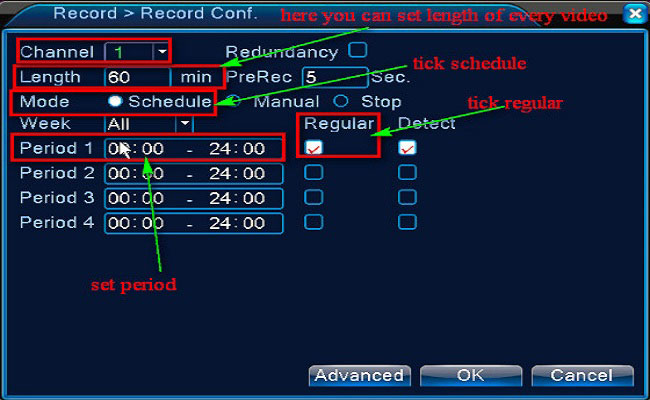
Purpose: You could setup 24 hours recording for the system. Please make sure there is an internal hard disk drive before recording. Without the…

View your recorder and cameras on the go. With Dahua’s mobile application IDMSS(IOS)/GDMSS(Android) allows you to add Dahua recorders and cameras to the mobile app…
