
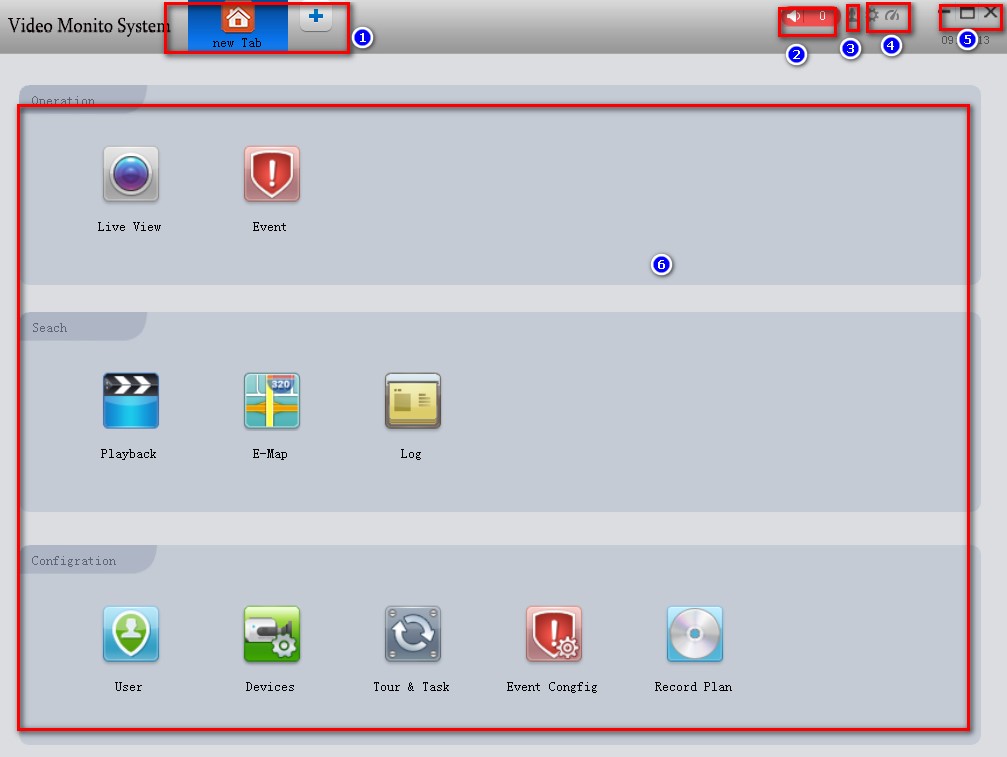
Applicable to security monitoring equipment management software for small network monitoring field.
Based on windows platform, can run on PC.
Cameras that can browse multiple devices monitor video in real time.
Can view multiple device’s camera video and you can playback video.
Electronic maps can be configured to clearly describe the location of various devices.
Configure alarm setting items for network video monitoring equipment to realize alarm linkage between management software and monitoring equipment.
Video automatic backup function, mainly used in back-up data backup of IPC and other non-hard disk devices.
For each device, each device window, each device channel can establish a monitoring plan.
Create a separate configuration file for each user, and their respective habits and styles do not interfere with each other.
Operation management interface supports Chinese and English languages.
Note: This software is for connecting multiple different types or models of devices (NVR/HVR/DVR/DVS/IPC). This user manual only describes the software operation. Please refer to the relevant product manual for the function settings of specific devices.
This manual is provided for those responsible for planning, executing, or reviewing the hardware installation of the network video surveillance software. You should have the basic operating knowledge and experience of related equipment (NVR/HVR/DVR/DVS/IPC).
[wp-embedder-pack url=”https://www.dvraid.com/wp-content/uploads/2020/05/VMS-manual.pdf” width=”100%” height=”700px” download=”all”][/wp-embedder-pack]




I wonder if I can give you my e-mail address.
please help me, my problem is not solved.
very informative and revealing bravo!
what software is it? How can I download?
Download https://onedrive.live.com/?authkey=%21AGQgc2Vtgja7zPM&cid=DFD7B48D2A776C00&id=DFD7B48D2A776C00%211072&parId=DFD7B48D2A776C00%21119&action=locate