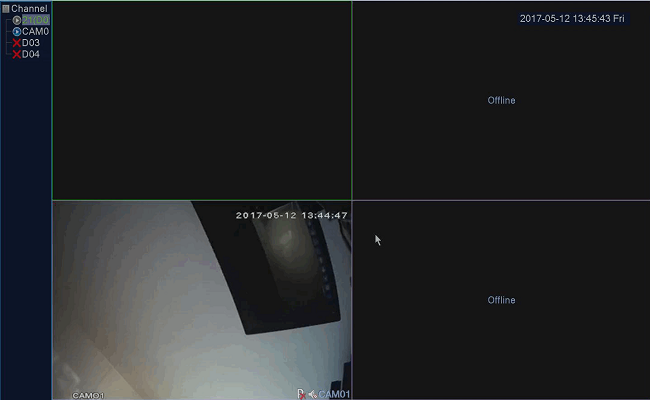
Type 1 DVR system
For the DVR system. Please make sure the DVR is adjusted to Have IP channels.
1. Go to the Main Menu–>System–>Digital–>Channel Type to adjust the channel Type
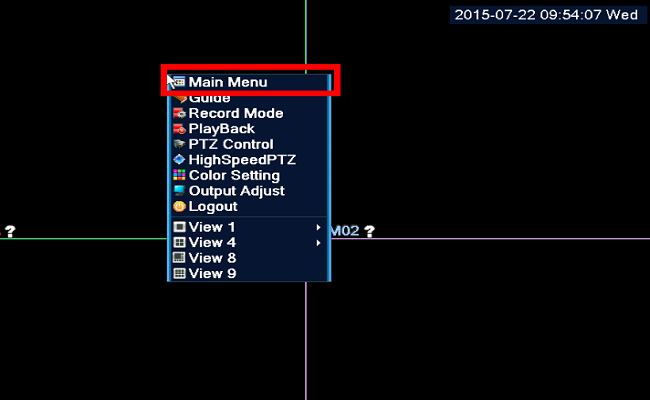
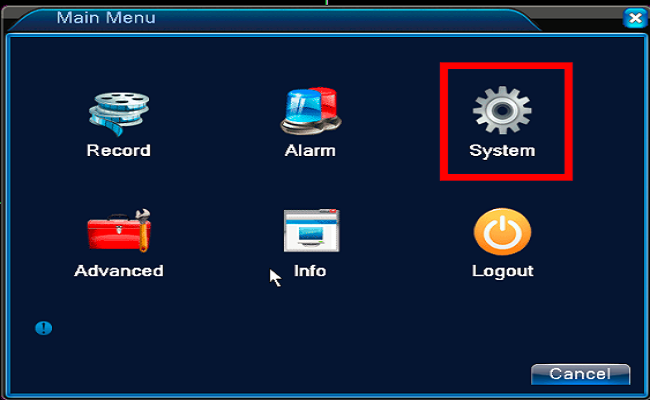
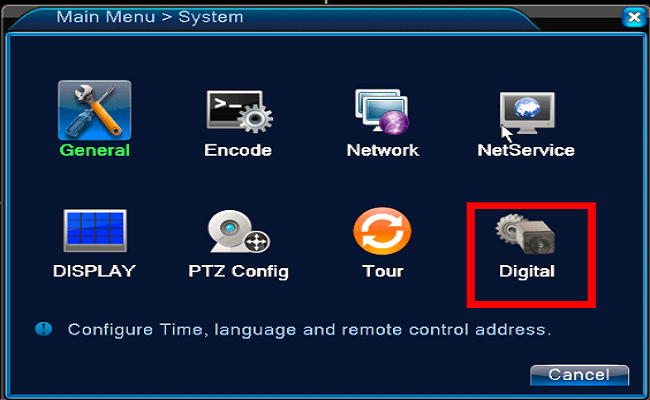
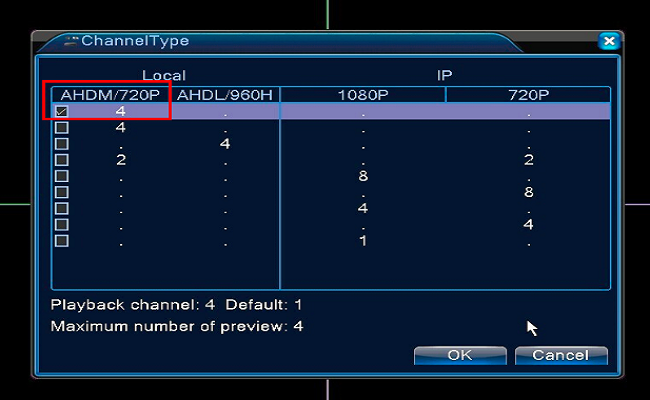
When the operation is finished. the DVR system will reboot one time
Type 1 DVR system and Type 1 NVR system
2. Go to the Main Menu–>System–>Digital–>Channel to the IP camera adding page
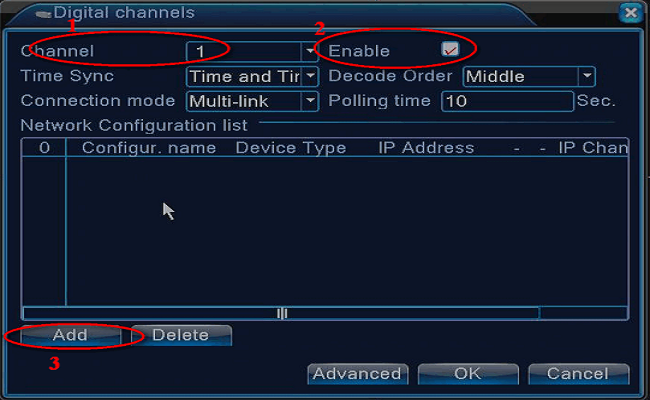
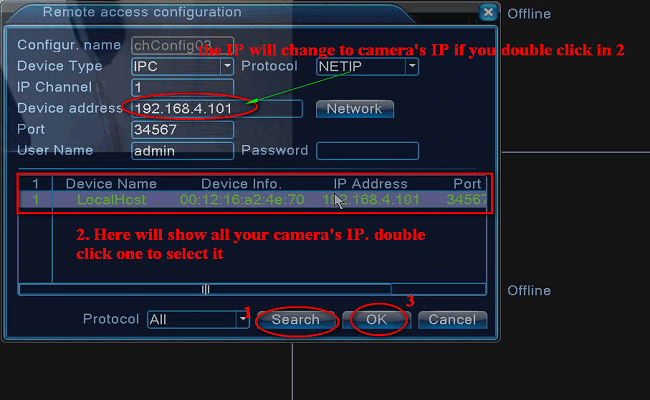
Select the correct channel you want to add. enable the IP channel. then click the “Add” to add the IP channel.
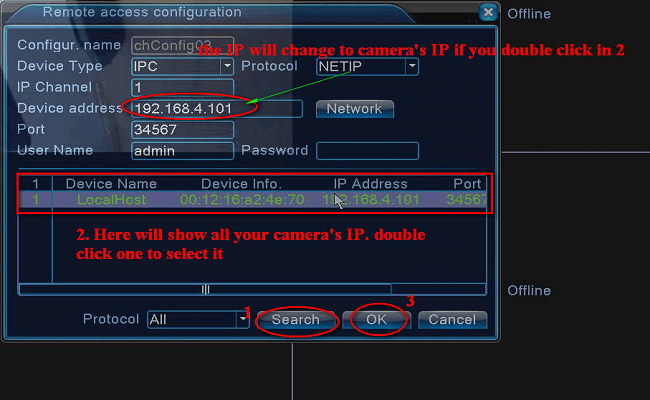
Click “Search” to search out the IP channel on the network. double click one of the camera’s IP that you what. Click “OK” to do the channel adding
Tick the camera and click “OK”
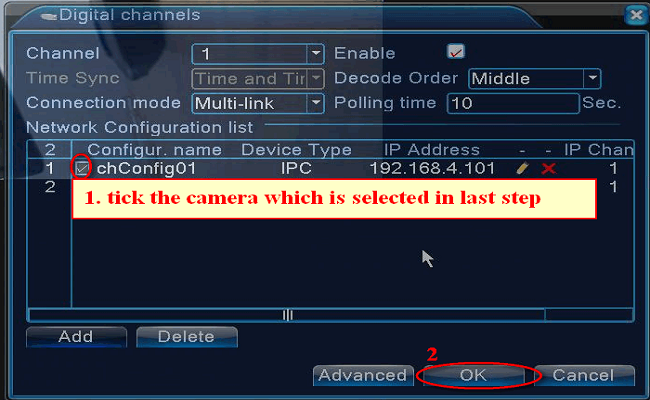
NOTE:
The image will show on TV. Do the same for another channel. But please remember to add another camera’s IP, not the same IP to another channel.
If all your cameras show no image on TV like the picture below, you can add the cameras to the NVR manually to show the image.
Here are the steps.
1. Go to the Main Menu–>System–>Digital–>Digital channels:
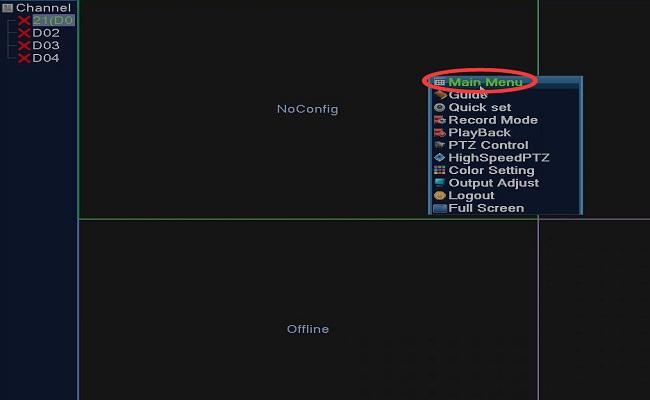
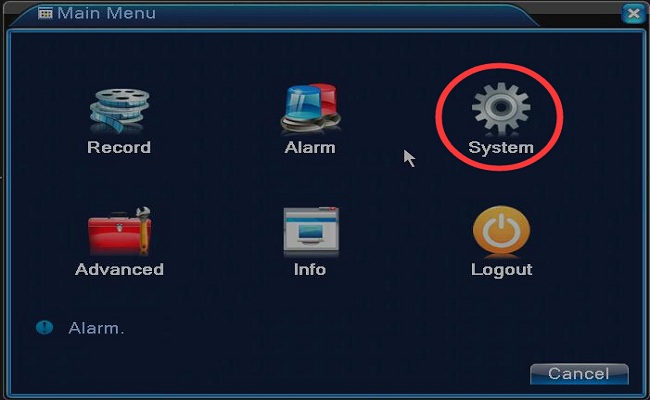
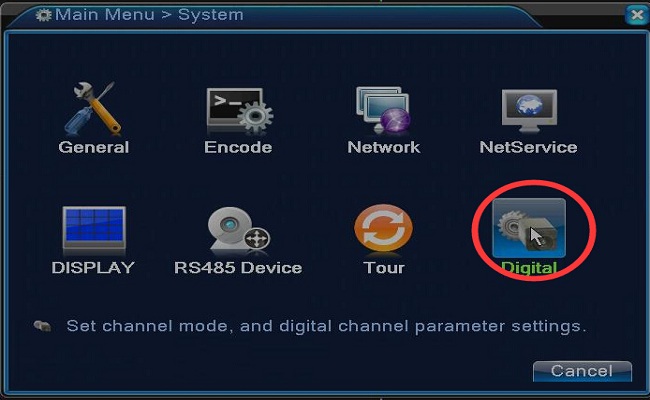
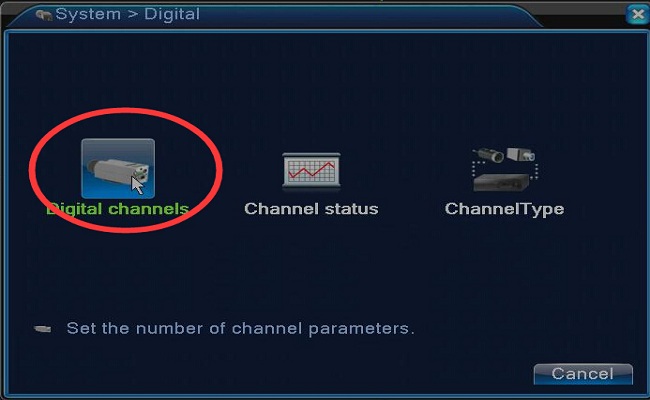
2. Select channel number, and tick the option enable, and then click add:
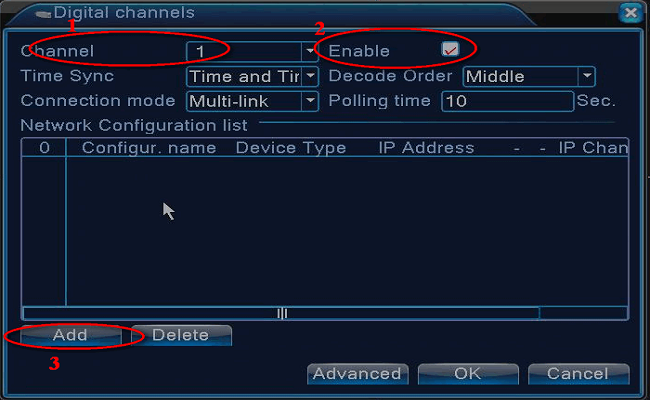
3. Click search and double click one of the camera’s IP, and then tick the camera and click OK
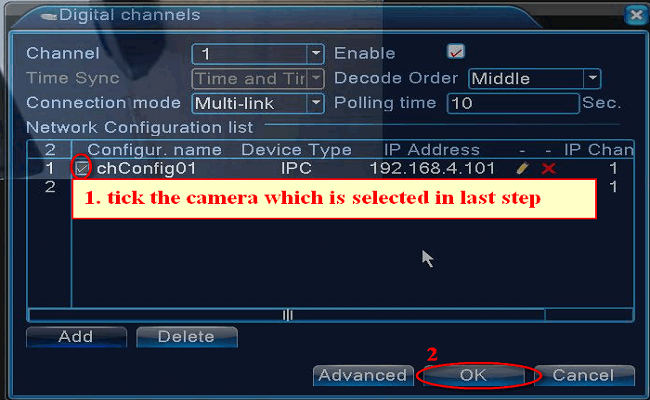
The image will show on TV. Do the same for another channel. But please remember to add another camera’s IP, not the same IP to another channel.