
Swann Security Password Reset (Windows)
This guide is intended for customers to reset their Swann recorder when they have forgotten their password. Acquiring the reset code The reset code…
Start typing to search...
This guide is intended for customers to reset their Swann recorder when they have forgotten their password. Acquiring the reset code The reset code…

This guide is intended for customers to reset their Swann recorder when they have forgotten their password. Acquiring the reset code The reset code…

How to Set Up Motion Detection Recording? Purpose: Motion detection recording means NVR will record automatically when it is triggered by movement. NOTE: The…
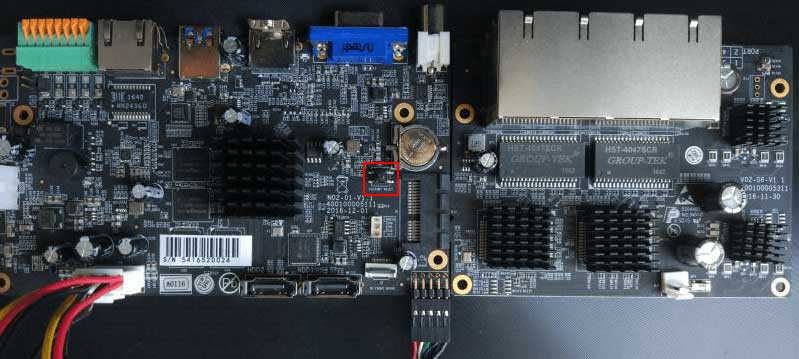
The following will introduce how to reset NVR via hardware. 1. Position of Reset Button Series-1000: 100x/1009-UT: There is a hole on the back,…
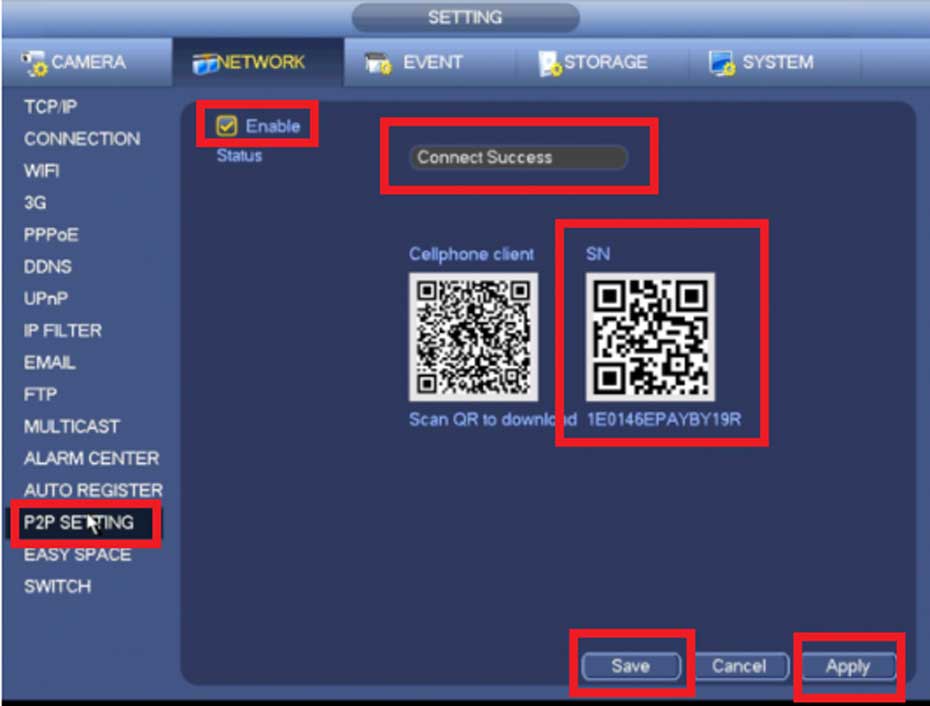
How to Access System Using P2P via Mobile Application Description View your recorder and cameras on the go. With Dahua’s mobile application IDMSS(IOS)/GDMSS(Android) allows you…

Dahua NVRs and DVRs offer a variety of recording options. You can configure recording schedules based on the following methods: General Motion Detection Alarm…

1. Choose Firmware 4K Series 71.X.0.X(MS-N50XX-UH/MS-N70XX-UH/MS-N70XX-UPH/MS-N80XX-UH): http://www.milesight.com/support/download.asp 72.X.0.X(MS-N1009-UNT/MS-N1009-UPT/MS-N50XX-UT/MS-N50XX-UPT): http://www.milesight.com/support/download.asp 73.X.0.X(MS-N1004-UC/MS-N1004-UPC): http://www.milesight.com/support/download.asp Previous Versions 61.7.0.7-r5(MS-N1009-UT): https://drive.google.com/open?id=0B8u2Oc2-fG-mc0dCR3paYzNKMGs 30.7.0.7(MS-N5009/5016): https://drive.google.com/open?id=0B3OW8hozx4jWT182aXBfMGxGUGs 31.7.0.7(MS-N1004/1008): https://drive.google.com/open?id=0B3OW8hozx4jWd2FhTmk0cWJmNFk 2.7.0.7(MS-N5004/5008): https://drive.google.com/open?id=0B3OW8hozx4jWY3lmOF8takNQWnc 1.7.0.7-r3(MS-N7016/8016/8032): https://drive.google.com/open?id=0B8u2Oc2-fG-md0pwOFJMM3V4X2c Note: 1) The second number of firmware stands for…

If you forget the password of Reolink NVR, you may create a super password via Super Password application, then use it to reset your…
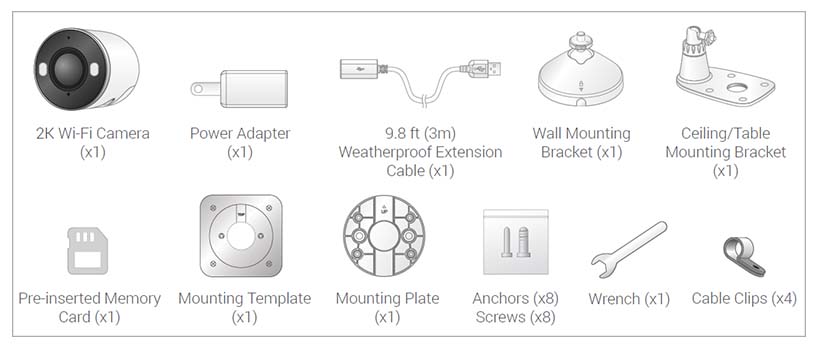
This article provides instructions to install your Lorex 2K Wi-Fi camera with Smart Deterrence (W482CAD). What is included in the box? The above contents are based…

How to manually upgrade the firmware of your recorder IMPORTANT: All Lorex firmware updates are free of charge. There are two ways of upgrading the…
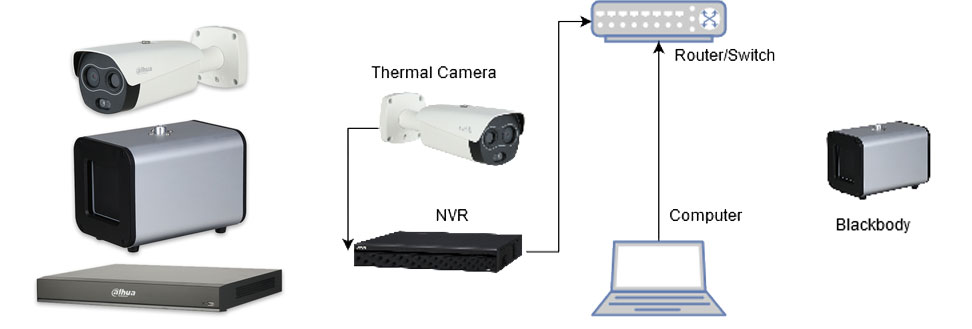
This guide will cover the initial NVR, camera,and Blackbody setup and Configuration for the Thermal Temperature Monitoring Solution If you’re using a stand…
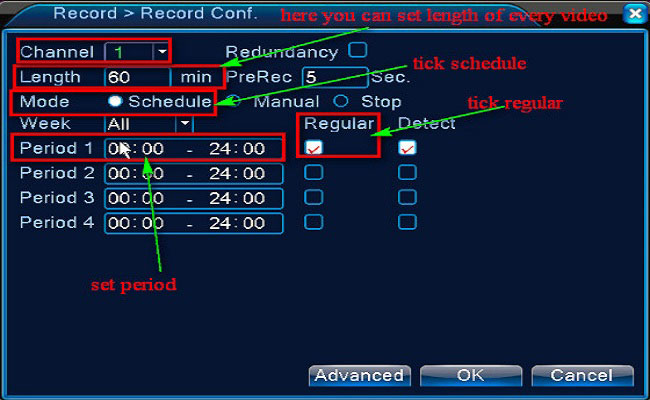
Purpose: You could setup 24 hours recording for the system. Please make sure there is an internal hard disk drive before recording. Without the…