Avigilon Device Setup and User Guide 2024, Learn how to set up Avigilon devices with this detailed guide. From installation to advanced features, get expert tips for optimizing your Avigilon system.
Comprehensive Avigilon Device Setup and User Guide 2024
Introduction
Avigilon devices are at the forefront of surveillance technology, offering high-definition security solutions for businesses and residential properties. This comprehensive guide will walk you through the setup and usage of Avigilon devices, ensuring you can maximize their potential. Whether you’re a novice or an expert, this guide will provide you with the necessary knowledge to efficiently install, configure, and manage your Avigilon security system.
Table of Contents
|
Heading |
Sub-Topics |
|---|---|
|
Introduction |
Overview of Avigilon devices and their importance |
|
Understanding Avigilon Devices |
Types of Avigilon devices, features, and benefits |
|
Pre-Installation Preparation |
Gathering tools, checking network requirements |
|
Choosing the Right Avigilon Device |
Factors to consider, device comparison |
|
Unboxing Your Avigilon Device |
What’s included, inspecting for damages |
|
Setting Up Avigilon Cameras |
Mounting options, angle adjustments |
|
Connecting Avigilon Devices to Network |
Wired vs. wireless setup, network configurations |
|
Installing Avigilon Control Center (ACC) |
Software installation, initial configuration |
|
Configuring Avigilon Devices |
Basic settings, advanced configurations |
|
User Management and Permissions |
Creating users, assigning roles |
|
Integrating Avigilon with Other Systems |
Compatibility, integration steps |
|
Setting Up Remote Access |
Accessing your system remotely, security tips |
|
Monitoring and Managing Footage |
Live view, playback options |
|
Storage Solutions for Avigilon Systems |
On-site vs. cloud storage, storage management |
|
Troubleshooting Common Issues |
Connectivity problems, device malfunctions |
|
Maintaining Your Avigilon System |
Regular maintenance, software updates |
|
Advanced Features and Customizations |
Motion detection, analytics settings |
|
Security Best Practices for Avigilon Devices |
Protecting your system, securing data |
|
FAQs |
Common questions and answers about Avigilon devices |
|
Conclusion |
Summarizing key points, final tips |
Understanding Avigilon Devices
Avigilon devices encompass a range of surveillance equipment known for their exceptional clarity, robust build, and advanced features. These devices include high-definition cameras, network video recorders (NVRs), and sophisticated analytics software that work together to provide comprehensive security solutions.
Types of Avigilon Devices
Features and Benefits
Pre-Installation Preparation
Before setting up your Avigilon devices, ensure you have all the necessary tools and meet the network requirements.
Gathering Tools
Checking Network Requirements
Choosing the Right Avigilon Device
Selecting the appropriate device depends on your specific surveillance needs.
Factors to Consider
Device Comparison
Unboxing Your Avigilon Device
Carefully unbox your Avigilon device and inspect it for any damages or missing components.
What’s Included
Inspecting for Damages
Setting Up Avigilon Cameras
Proper camera setup is crucial for optimal performance.
Mounting Options
Angle Adjustments
Connecting Avigilon Devices to Network
Networking your devices correctly ensures reliable performance.
Wired vs. Wireless Setup
Network Configurations
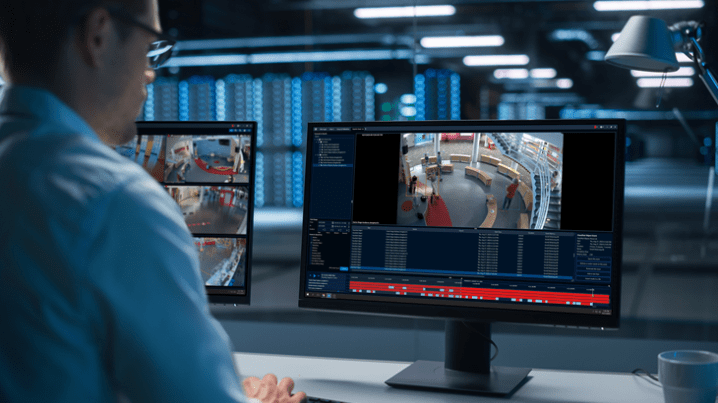
Installing Avigilon Control Center (ACC)
ACC is the software heart of the Avigilon system.
Software Installation
Initial Configuration
Configuring Avigilon Devices
Fine-tuning device settings can enhance performance.
Basic Settings
Advanced Configurations
User Management and Permissions
Managing user access is vital for security.
Creating Users
Assigning Roles
Integrating Avigilon with Other Systems
Integrate Avigilon with existing security or IT systems for a seamless experience.
Compatibility
Integration Steps
Setting Up Remote Access
Remote access allows you to monitor your system from anywhere.
Accessing Your System Remotely
Security Tips
Monitoring and Managing Footage
Effectively manage and review your recorded footage.
Live View
Playback Options
Storage Solutions for Avigilon Systems
Choose the right storage solution to meet your needs.
On-Site vs. Cloud Storage
Storage Management
Troubleshooting Common Issues
Address common problems that may arise with your Avigilon system.
Connectivity Problems
Device Malfunctions
Maintaining Your Avigilon System
Regular maintenance ensures long-term reliability.
Regular Maintenance
Software Updates
Advanced Features and Customizations
Take advantage of Avigilon’s advanced capabilities.
Motion Detection
Analytics Settings
Security Best Practices for Avigilon Devices
Implement best practices to protect your surveillance system.
Protecting Your System
Securing Data
Avigilon Device Setup and User Guide FAQs
How do I reset my Avigilon camera?
Can I use third-party storage with Avigilon devices?
How do I update the firmware on my Avigilon device?
Is it possible to integrate Avigilon with my existing security system?
What should I do if my Avigilon device is not connecting to the network?
How can I improve the image quality of my Avigilon camera?
Conclusion
Setting up and managing Avigilon devices can seem daunting, but with this comprehensive guide, you’re equipped with the knowledge to handle every aspect. From choosing the right device to advanced configurations