
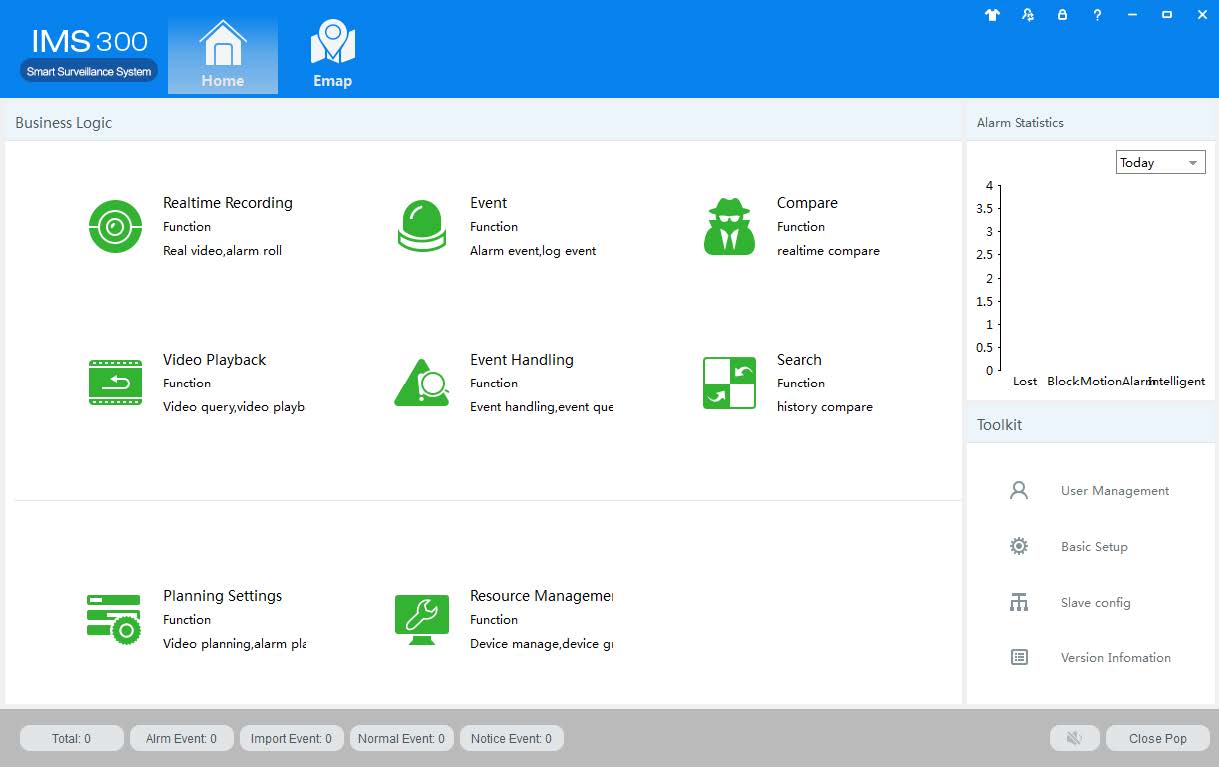
System Introduction
IMS300 is a professional surveillance system software which support muti-user, multi-window and multi-language , voice talk, EMap, alarm and etc. IM300 is compatible with various access devices. This is a stable, reliable and easy operation system.
IMS300 is software applications for embedded network CCTV monitoring equipment including NVR,IP Camera, IP Dome, PCNVR , decoding device and AV decoding card, it can support real-time preview, remote configuration, recording,playback, alarm, electric map and etc..
Simple Component Design:Multiple components can be installed in one PC For a highly integrated.
550 end users System: Add as much as 50 end users, fully meet the various system permissions management solution.
Find back the password with the super user permissions batch function.
Interface container processing mode: Elaborate method of container handling, simplifies the screen and single switch, significantly improved screen operation experience.。
Channel management mode:Add the channel management mode, adapt the IP monitoring more.
Compatible with custom tools to generate configuration files.
Consider more for UE :Provide visual image type control panel based on the UE, reverse the USES the required type.
Need only visible display mode:on client component interface elements,joined the need only visible display mode,the calendar,time,the toolbar,the system info,etc,.to join the design pattern.
Full Document PDF
[wp-embedder-pack width=”100%” height=”600px” download=”all” download-text=”” attachment_id=”568″ /]



These are amazing. Thank you so much for sharing 🙂