Reklam
2 dk okuma

Mobile computer remote remote equipment

1495688112819057737
Yapay Zekâ

Yapay Zekâ İçerik Özeti

How to remote mobile phone and computer:   - Confirm the version information recorder interface nat state of the connection is successful, if the state is to detect, can check in automatically obtain network settings ip , restart the VCR, the VCR will be synchronized with the router network segment. - end of the phone needs to download xmeye mobile client (brand Jufeng Jufeng eye can be used, what the basic user interface), fill in the device name when you add a device, a serial number (the latest XMEYE Jufeng eye and do not need to fill in a port number) When entering the device serial number (you can also view the device serial number in the version information), you can scan the SN QR code in the boot wizard, and confirm after filling in.
Önemli Satır Başları
  • 1
    Stratejik Vizyon & Dönüşüm

    Gelişen trendlerin ve yenilikçi yaklaşımların temel prensipleri.

  • 2
    Verimlilik ve Uygulama

    Pratikte karşılaşılan zorluklar ve optimize edilmiş çözüm yolları.

  • 3
    Geleceğe Dair Öngörüler

    Önümüzdeki dönemde sektörde ve günlük hayatta yaratacağı etkiler.

How to remote mobile phone and computer:

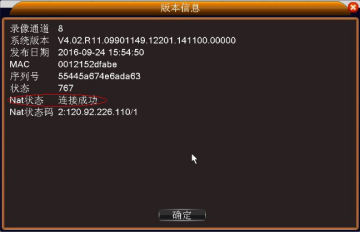
  – Confirm the version information recorder interface nat state of the connection is successful, if the state is to detect, can check in automatically obtain network settings ip , restart the VCR, the VCR will be synchronized with the router network segment.
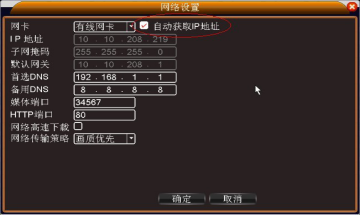
Remote serial number 1.pngRemote serial number 2.png

Reklam

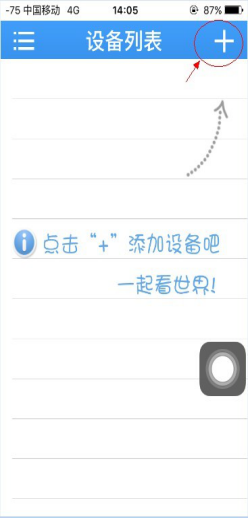
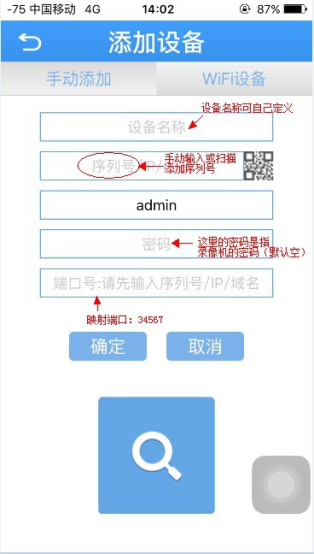
– end of the phone needs to download xmeye mobile client (brand Jufeng Jufeng eye can be used, what the basic user interface), fill in the device name when you add a device, a serial number (the latest XMEYE Jufeng eye and do not need to fill in a port number)

When entering the device serial number (you can also view the device serial number in the version information), you can scan the SN QR code in the boot wizard, and confirm after filling in.

Click the corresponding device on the device list interface to remotely access
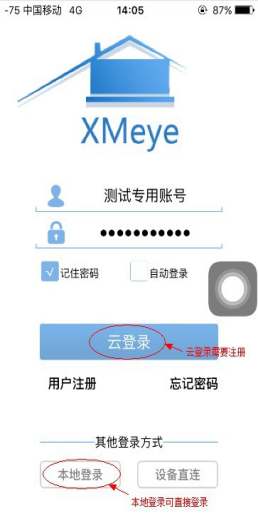
Remote serial number 3.pngRemote serial number 4.png

Remote serial number 5.png

-The computer terminal can be divided into two access methods: web page and client terminal :

a. The remote website  www.xmeye.net  is divided into account number    

(Registration required) and log in by device, add device serial number
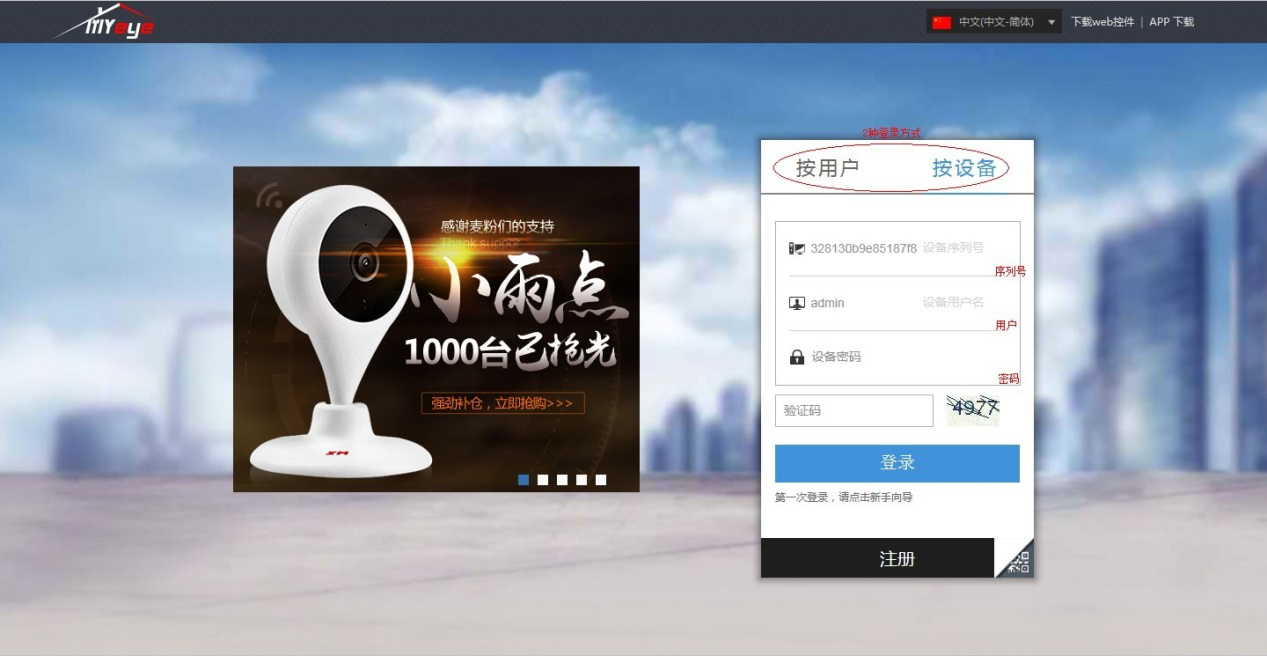
Remote serial number 6.png

b. The computer client can be downloaded on Xiongmai Baike   
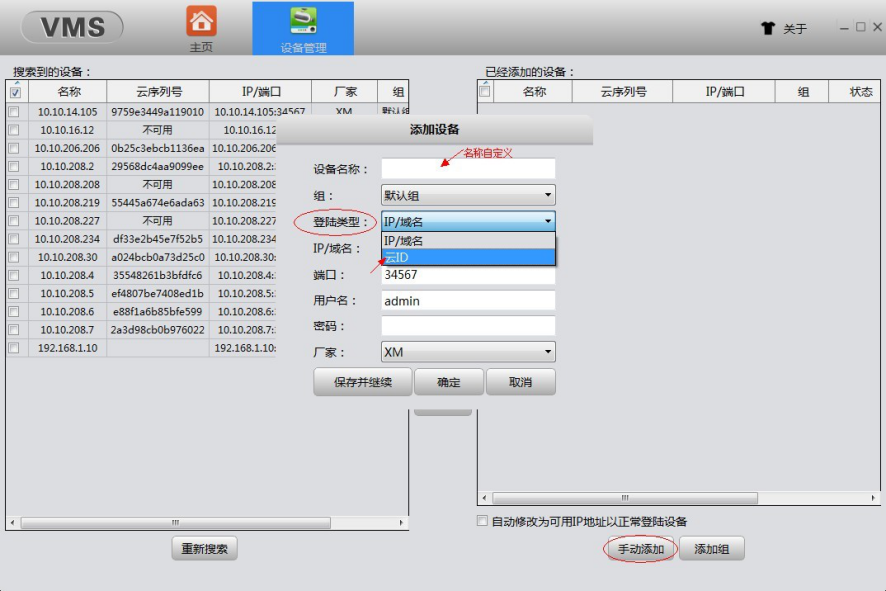
Remote serial number 7.png

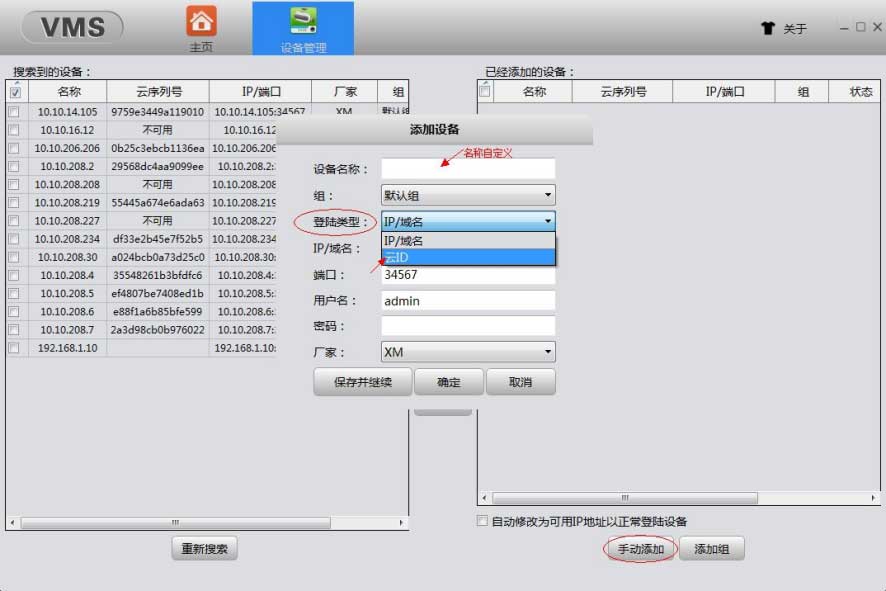
vms software, select manual addition in the device management interface, select cloud ID for login type , fill in the device serial number, save and continue, homepage – monitoring interface, select the added serial number for remote access

c.CMS software

Add in system settings, monitoring point management
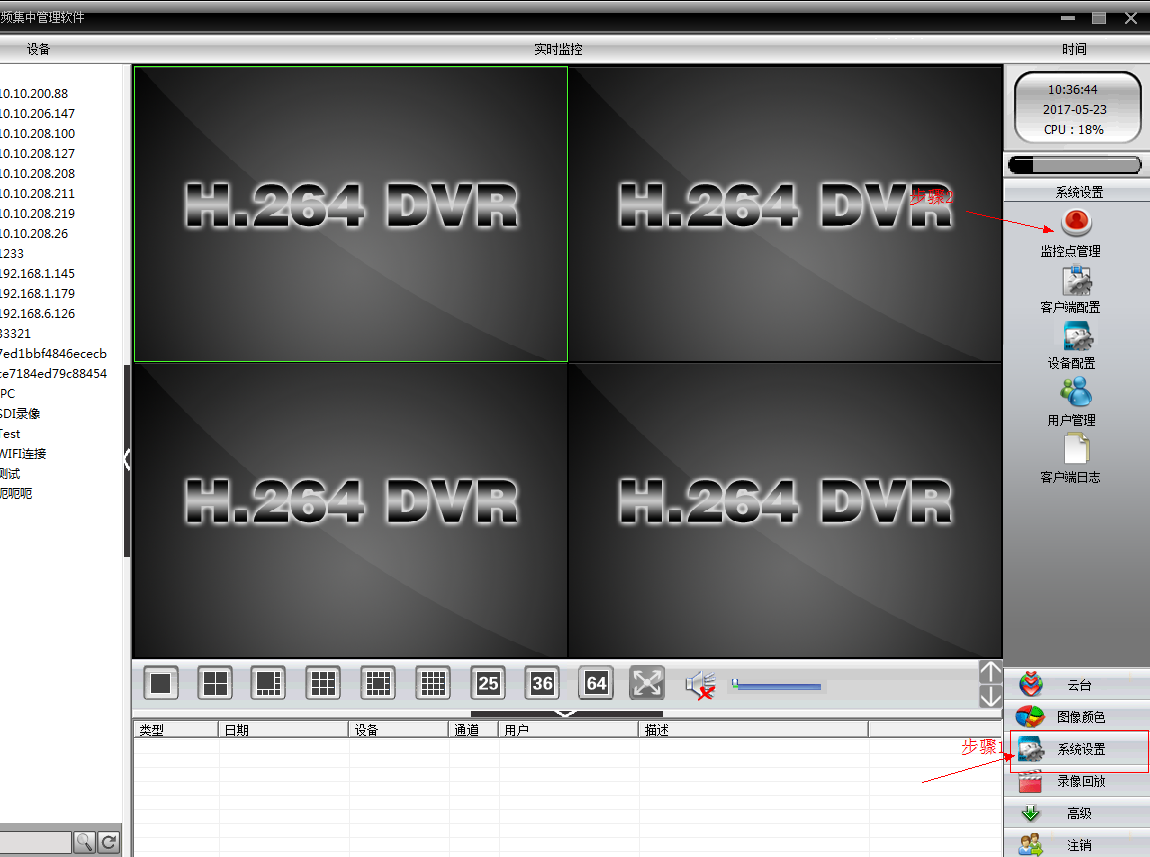
CMS remote serial number 1.png

Then add the area, after adding it, select the area to add equipment
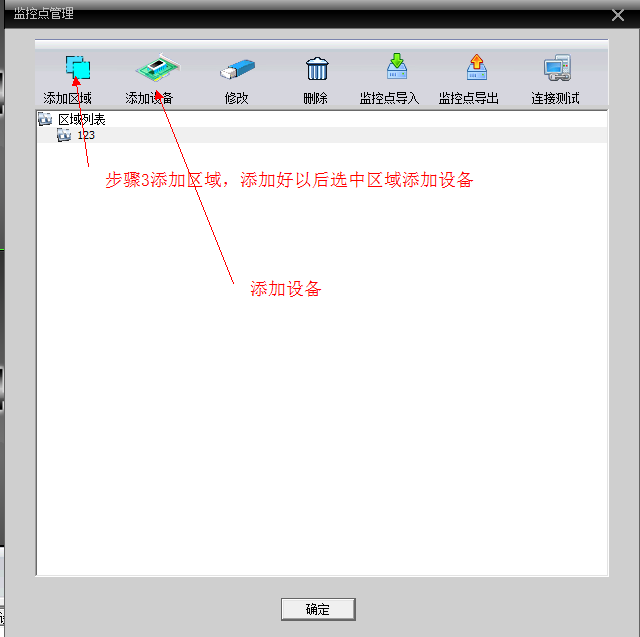
CMS remote serial number 2.png

Select the cloud and add the serial number
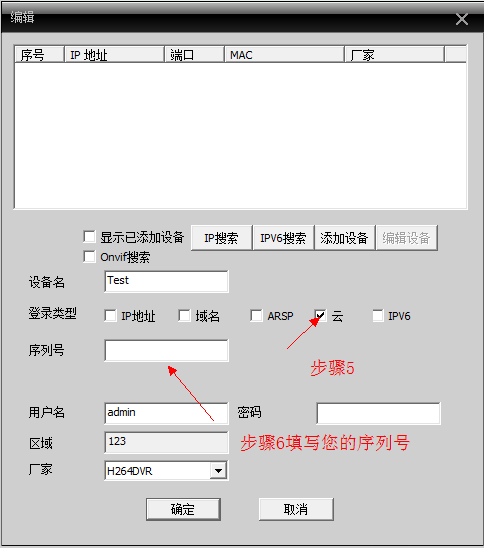
CMS remote serial number 3.png

Double-click on the left side of the screen to open the screen
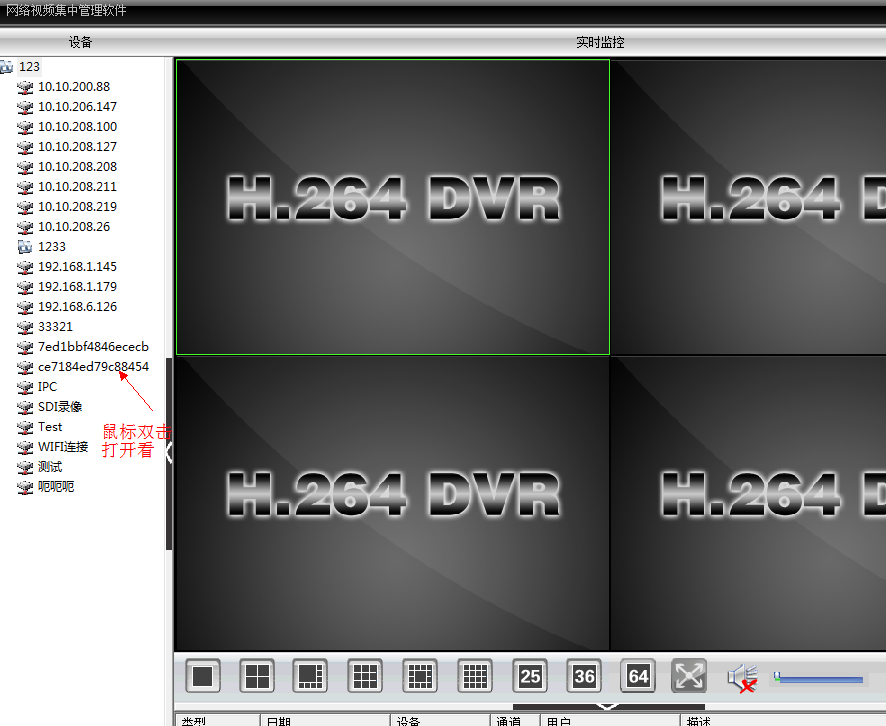
CMS remote serial number 4.png

Reklam
Bu yazıyı paylaş
M.Salih ASLAN
Yazar Hakkında

M.Salih ASLAN

Owner and Founder dvraid.com and dvrdestek.com

Bir Yorum Yapın

Your email address will not be published. Required fields are marked *

Bu site istenmeyenleri azaltmak için Akismet kullanır. Yorum verilerinizin nasıl işlendiğini öğrenin.

Sadece ilham, sıfır spam ✨

Bültenimize Abone Olun

En iyi hikâyeleri, görüşleri ve son trendleri doğrudan e-postanıza alın.

SIRADAKİ İÇERİK %98 ilgi uyumu
76786445 2803305563033631 8705000721524719616 n
Ayrılmadan önce göz atın: Jovision CloudSee NvSee NvSip Software Firmware Tools