Reklam
2 dk okuma

How to Playback video via mobile app

M.Salih ASLAN M.Salih ASLAN • • 0 Yorumlar ve Tartışma
How to Playback
Yapay Zekâ

Yapay Zekâ İçerik Özeti

How to Playback a video file Description Follow this guide to setup your mobile device with our app! Prerequisites Requires iOS 7.0 or later.

Önemli Satır Başları
  • 1
    How to Playback a video file

    Detaylı analiz ve önemli çıkarımlar bu bölümde yer almaktadır.

  • 2
    Description

    Detaylı analiz ve önemli çıkarımlar bu bölümde yer almaktadır.

  • 3
    Prerequisites

    Detaylı analiz ve önemli çıkarımlar bu bölümde yer almaktadır.

  • 4
    Video Instructions IDMSS/GDMSS version

    Detaylı analiz ve önemli çıkarımlar bu bölümde yer almaktadır.

How to Playback a video file

Description

Follow this guide to setup your mobile device with our app!

Prerequisites

  • Requires iOS 7.0 or later. Compatible with iPhone, iPad, and iPod touch
  • Requires Android 3.0 and up

Video Instructions IDMSS/GDMSS version

Step by Step Instructions IDMSS/GDMSS version 3.50.000

1. From the home screen select “Camera”

IDMSS playback1.png

Reklam

2. Select the Menu Icon -> Select playback.

IDMSS playback2.png IDMSS playback3.png

3. Select the + Icon to for a device to playback.

IDMSS playback4.png

4. Choose a beginning date and time -> end date and time.

IDMSS playback5.png IDMSS playback6.png

5. Toggle on to choose record type. ( All, Regular, Alarm, and Motion Detect)

IDMSS playback7.png

6. Select a device from the list to playback.

IDMSS playback8.png

IDMSS/GDMSS Version 3.40.003

Video Instructions Version 3.40.003

Step By Step Instructions IDMSS/GDMSS Version 3.40.003

1. From the Live View page tap on the top left hand corner. This bring you to the home page.

2. In the Home page tab the Playback option.

Mobilepb01.PNG

3. In the Playback screen, tap on the first box for video.

Mobilepb02.png

4. This will bring up the device list menu.

Mobilepb03.png

a. Determine and select the start time for the playback
b. Determine and select the ending time for the playback

Mobilepb05.png

5. Now select the camera

Mobilepb04.png

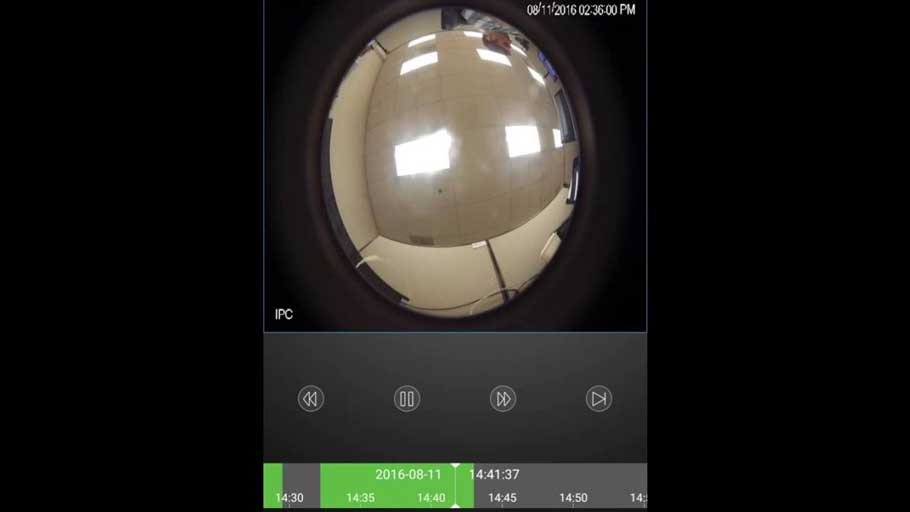
6. The camera will come up with the playback.

Mobilepb06.png

Here you can maneuver the time line to get the point that you want to watch.  With the play buttons you are able to Fast forward, slow down and go the next segment of video.

Reklam
Bu yazıyı paylaş
M.Salih ASLAN
Yazar Hakkında

M.Salih ASLAN

Owner and Founder dvraid.com and dvrdestek.com

Bir Yorum Yapın

Your email address will not be published. Required fields are marked *

Bu site istenmeyenleri azaltmak için Akismet kullanır. Yorum verilerinizin nasıl işlendiğini öğrenin.

Sadece ilham, sıfır spam ✨

Bültenimize Abone Olun

En iyi hikâyeleri, görüşleri ve son trendleri doğrudan e-postanıza alın.

SIRADAKİ İÇERİK %98 ilgi uyumu
HK DW81KD New Version Network connection
Ayrılmadan önce göz atın: What to Do If P2P Status Shows Offline?